
When we left part twelve, the whole map was displayed on screen from the first frame. This means there is no mystery of where to find the chalice and the exit, and you can avoid every goblin before you even take a step, so there is no exploration or peril.
Play and examine the finished listing from part13e.bas in the RGC online IDE
Not seeing everything right away is a pretty core feature of games like this but I held it back until now on purpose. As we have been adding more and more features, the game was already getting to be too slow to move around, and fog adds extra work to every single step.
What we need is a way to add the fog without adding even more processing cycles, or at least as few as possible …
Commodore 64 BASIC Programming Series: all the parts
- Part 1: Introduction to Commodore BASIC
- Part 1.5: Installing CBM Prg Studio on Mac/Linux
- Part 2: Commodore BASIC Commands GOSUB and FOR Loops
- Part 3: If/Then, Game Logic and Cursor Movement
- Part 4: The Magic of POKE
- Part 5: C64 DOS Commands
- Part 6: Working with Data Files
- Part 7: Dungeon Crawler
- Part 8: Goblin Attack!
- Part 9: The Goblins Strike Back
- Part 10: Generating a Walkable Map
- Part 11: Stairs, Levels and Levelling Up
- Part 12: Rats, Shields and Fireball Magic
- Part 13: Fog of War and the Need for Speed
- Part 14: More BASIC Optimisations

Fog plan 1: draw everything in black
The map is drawn on a black background, so an option is to replace all the {COLOUR} statements with black. Anything printed black on black is therefore invisible, but still there. The characters stay recognisable by their codes, which is important because the game detects walls, doors and items by PEEKing the screen.
PRINT "{CLR}{DOWN}{DOWN}{BLACK}";
PRINT "{BLACK}####";NL$;MT$(MT,0);NL$;MT$(MT,1);NL$;MT$(MT,2);
ROW=EY*4+4 : COL=EX*4+2 : GOSUB CURSORSET : PRINT "{BLACK}>";
IT$="{BLACK}%" : FOR N=1 TO ND : GOSUB PLACEONE : NEXT N
Result: a black screen with the player and enemies showing on it. The enemies still show in colour, because their PRINT uses EG$ from the enemy type table and I left that alone.
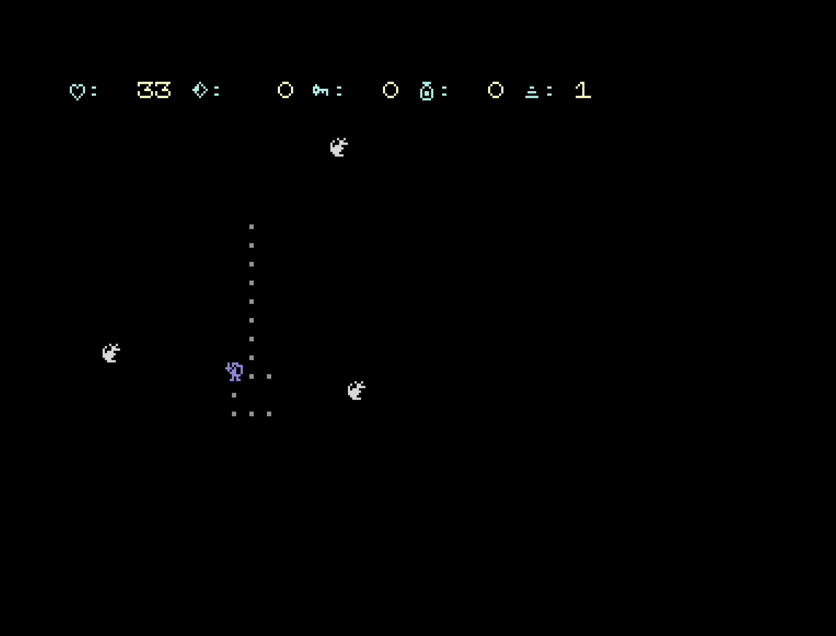
When you take a move, the game puts the floor back with PRINT "{GREY}.", so everywhere you have walked turns into grey floor.
Next we need to reveal the player’s surroundings with a POKE of colour into the colour RAM of the cells above, below, left and right. But where does the colour information come from? Once the map has been printed in black, the actual colour for each cell is gone. The {colour} tokens were in the PRINT statements before, and colour RAM now reports black everywhere.
My solution here was a new lookup table, indexed by screen code. The map uses 14 different character codes if we only count the glyphs that matter to rendering the dungeon (excluding the player who would not be part of the lookup). Walls, floor, stairs, doors, items and the two enemies. All of them have screen codes below 64, so a 64 entry integer array indexed by screen code covers them. (CO%, as integer arrays take 2 bytes per entry vs 5 for a normal array).
REM COLOUR OF EACH MAP CHARACTER, BY SCREEN CODE
DIM CO%(63)
FOR N=1 TO 14 : READ C,K : CO%(C)=K : NEXT N
DATA 35,12,46,12,62,13,27,3,63,9,39,9,37,8
DATA 43,10,42,7,40,4,47,1,36,7,38,5,41,15
| Screen code | Character | Colour |
|---|---|---|
| 35 | # wall | 12 grey |
| 46 | . floor | 12 grey |
| 62 | > stairs | 13 light green |
| 27 | [ shield | 3 cyan |
| 63 | ? door | 9 brown |
| 39 | ' cracked door | 9 brown |
| 37 | % key | 8 orange |
| 43 | + heart | 10 pink (light red) |
| 42 | * potion | 7 yellow |
| 40 | ( chalice | 4 purple |
| 47 | / sword | 1 white |
| 36 | $ jewel | 7 yellow |
| 38 | & gobbo | 5 green |
| 41 | ) rat | 15 light grey |
DRAWPLAYER:
REM FOG: LIGHT UP LEFT, RIGHT, ABOVE AND BELOW
VA=SA+LUT(PY)+PX
POKE VA-1+CD,CO%(PEEK(VA-1))
POKE VA+1+CD,CO%(PEEK(VA+1))
POKE VA-40+CD,CO%(PEEK(VA-40))
POKE VA+40+CD,CO%(PEEK(VA+40))
CD is 25600, the offset from our screen at 29696 to colour RAM at 55296. No bounds check is needed because the player is never placed on the outer wall, so all four neighbours are always on the map.
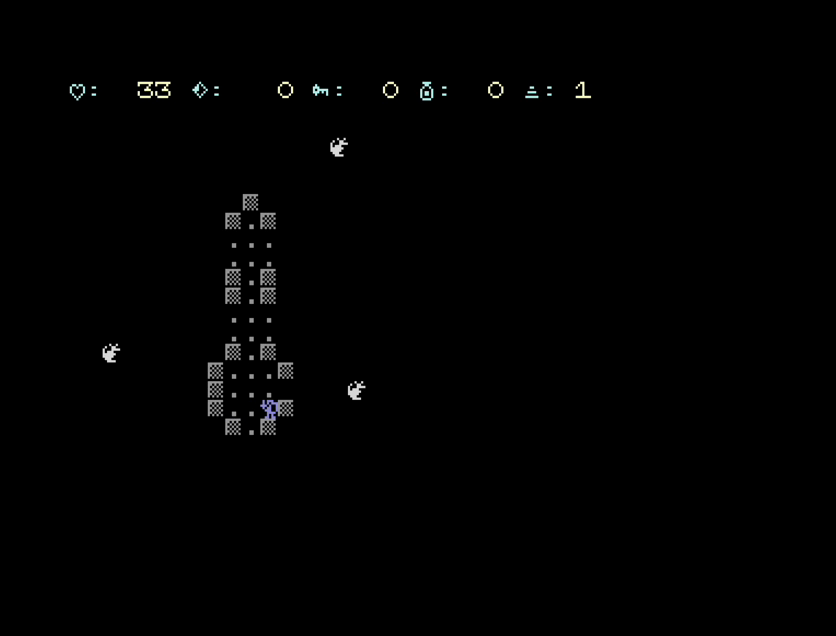
Only four cells are lit to save processor time, not the diagonals, so corners of rooms and corridors stay dark until you step next to them.
By my tests, the cost was 93 ms more per turn, 15% slower than no fog.

You can now follow the tutorials and edit the code right in your web browser with the Online Retro IDE
– No downloads, configuration, etc necessary, and it is free!
Did it crash?
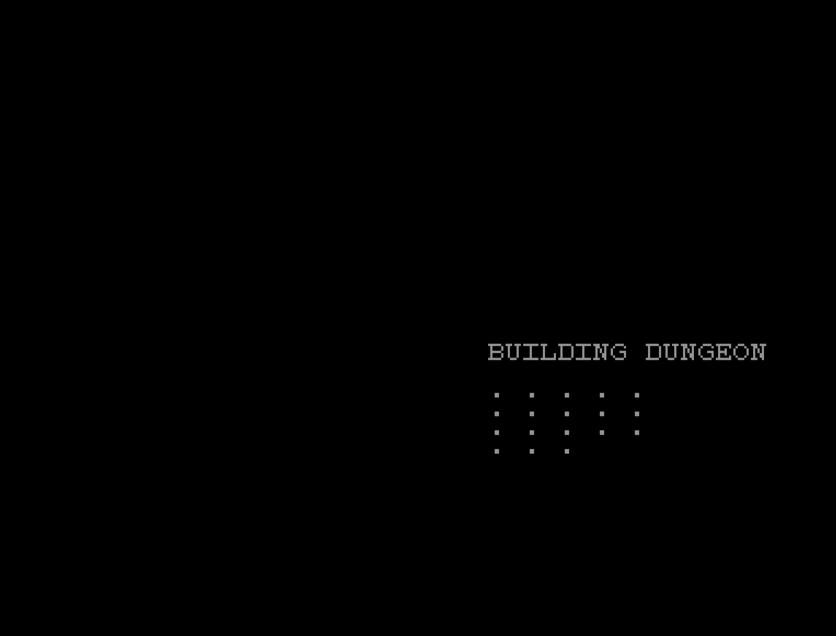
With the map printed in black, you no longer see the dungeon being built. In parts ten to twelve the rooms appeared one by one while you waited but now there’s about ten seconds of a black screen before the status line appearing.
That is a real downside of fog done this way, having no activity means a player could easily think the game has hung. Whatever version ships needs something on screen during the build, even just a please wait messagee.
Fog plan 2: build strings and PRINT them
PRINT is far faster per character than POKE, and it lets me keep the {colour} tokens. What about using that instead?
The catch is all that string concatenation is slow in C64 BASIC. Something like R$=R$+C$ for each visible cell means joining strings every single move. We can’t even do it ahead of time because we don’t know what the contents will be.
Every join would leave the old string behind as garbage to be collected. When string memory fills up, BASIC stops to clean up, and on the C64 that can freeze the game for whole seconds at a random moment.
I decided to not even test this option as I talked myself out of it.
Fog plan 3: a hidden screen
Thinking through string buffers, though, gave me an idea. On the C64, like many computers, “the screen” is to us developers just a block of memory, and you have seen in previous parts that the game already moves it (it lives at $7400, set with POKE 53272,222 and POKE 648,116).
What about if we keep a second copy of the screen somewhere hidden, and print the map elements into that?
While screen memory can move, colour RAM can’t. It is always at 55296 ($D800), no matter which screen you are showing.
But it turns out whenever PRINT puts a character on the screen, the KERNAL works out the colour RAM address from the screen address for you. It takes the high byte of the screen line address, keeps the bottom two bits (AND 3) and adds $D8 (OR $D8). So a screen at $7000 still has its colours written to $D800 to $DBE7.
So POKE 648,112 points PRINT at a hidden screen at $7000 and I print the map there with all its normal {colour} tokens:
- The characters go to the hidden screen, which nobody can see.
- The colours go to the real colour RAM, the one for the visible screen.
- The visible screen is all spaces, so the colour behind each space does not show.
To reveal a cell, copy one character from the hidden screen to the visible one:
POKE SV+A,PEEK(SH+A)
That answers the “where does the colour come from” problem from plan 1. The colour comes from the same PRINT statements as before, unchanged!
Building a level now switches screens three times:
PRINT "{CLR}";
POKE 648,112
GOSUB MAPBLANK
GOSUB MAPROLL
POKE 648,116
GOSUB DISPLAY
POKE 648,112 : SA=SH
GOSUB POPULATE
POKE 648,116 : SA=29696
GOSUB SHOWENEMIES
GOSUB DRAWPLAYER
The real screen is cleared first, while 648 still points at it. Clearing the hidden screen afterwards clears colour memory too, which is fine because the map is printed straight after and puts the colours back.
DISPLAY has to run with 648 pointing at the real screen, because it draws the status line.
POPULATE runs with SA pointing at the hidden screen. PLACEONE looks for bare floor with PEEK(SA+...), and that only works on the screen that has the map on it. Swapping one variable meant not touching PLACEONE at all.
SPAWN places enemies with PLACEONE, so they land on the hidden screen. SHOWENEMIES moves each one across: floor back on the hidden map, enemy drawn on the real screen.
SHOWENEMIES:
FOR G=1 TO GC
POKE SH+LUT(GY(G))+GX(G),46
IX=GX(G) : IY=GY(G) : GOSUB DRAWENEMY
NEXT G
RETURN
The reveal only copies a cell that is still fog (32, a space). Without that check, revealing a cell with an enemy standing in it would copy floor over the enemy, and you could walk straight into it.
VA=SA+LUT(PY)+PX : HA=VA-1024
IF PEEK(VA-1)=32 THEN POKE VA-1,PEEK(HA-1)
IF PEEK(VA+1)=32 THEN POKE VA+1,PEEK(HA+1)
IF PEEK(VA-40)=32 THEN POKE VA-40,PEEK(HA-40)
IF PEEK(VA+40)=32 THEN POKE VA+40,PEEK(HA+40)
The hidden screen is exactly 1024 bytes below the real one, so the hidden address is the real one minus 1024 and there is no second lookup.
Picking up an item and bashing a door now write to the hidden map as well (POKE SH+LUT(IY)+IX,46 and POKE SH+LUT(PY)+PX,39). Without that, the item comes back the next time you walk past it.
Enemies check the hidden map for floor and the real screen for anyone standing there:
EO=LUT(IY)+IX : EV=PEEK(SA+EO)
IF PEEK(SH+EO)=46 THEN IF EV=46 OR EV=32 THEN GOSUB MOVEENEMY
TELEPORT gets the same two checks also.
The player’s collision PEEK (CH=PEEK(SA+LUT(PY)+PX)) treats a space (32) as walkable, the same as floor (46). That works because the four cells around the player are revealed before the player can step into one, so the player is only ever looking at real map characters.
Enemies only move onto floor:
IF PEEK(SA+(IY*40)+IX)=46 THEN GOSUB MOVEENEMY
In the fog, every cell is a space, so an enemy in the fog would never move. Their PEEK has to read the hidden screen.
PLACEONE and TELEPORT look for a floor cell with PEEK(...)<>46. They need the hidden screen too, or nothing could ever be placed in the fog.
Cost comes out to about 82 ms more per turn when walking (0.56 s to 0.64 s), about 15 percent, so only 10 ms better than plan 1. BASIC loses another 1K (top of BASIC moves from $7400 to $7000). After part twelve there was about 6.7K left for variables.
Hiding enemies in the fog
So far we only dealt with walls and objects, the dungeon is hidden but every enemy is still drawn from the start, so you know where they all are, just not how to reach them.
The solution, of course, is enemies get drawn on the hidden screen too. The hidden screen is now the source (map, items, enemies) and the real screen is only what you have visited.
DRAWENEMY always puts the enemy’s character on the hidden map. If its cell on the real screen is still fog, it only sets the colour in colour memory, ready for when that cell is revealed, and skips the PRINT part:
DRAWENEMY:
EO=LUT(IY)+IX : POKE SH+EO,EK(GT(G))
IF PEEK(SA+EO)=32 THEN POKE SA+EO+CD,EF(GT(G)) : RETURN
ROW=IY : COL=IX : GOSUB CURSORSET : PRINT EG$(GT(G));
ERASEENEMY does the same in reverse. Floor on the hidden map, then either just the floor colour (in the fog) or the printed floor (in view):
ERASEENEMY:
EO=LUT(GY(G))+GX(G) : POKE SH+EO,46
IF PEEK(SA+EO)=32 THEN POKE SA+EO+CD,12 : RETURN
ROW=GY(G) : COL=GX(G) : GOSUB CURSORSET : PRINT "{GREY}."
The fog cell shows a space whatever colour is behind it, so changing the colour there is invisible. That is the same trick as the hidden screen, used a second time.
Two small tables give each enemy type its screen code and colour: EK(1)=41 : EF(1)=15 for the rat, EK(2)=38 : EF(2)=5 for the gobbo.
The reveal needed no change because it copies whatever is on the hidden map, so an enemy standing in a newly revealed cell appears with the right colour.
SHOWENEMIES from Part13b is now gone. Enemies stay where SPAWN placed them, stored on the hidden screen.
An enemy’s move check actually gets simpler because the hidden map has walls, items and enemies on it, so floor there means free. The only thing it can’t see is the player, who is only on the real screen as @ (screen code 0):
EO=LUT(IY)+IX
IF PEEK(SH+EO)=46 THEN IF PEEK(SA+EO)<>0 THEN GOSUB MOVEENEMY
TELEPORT gets reduced down to one check, IF PEEK(SH+LUT(PY)+PX)<>46 THEN GOTO TELEPORT.
Enemies attack diagonally (ABS(GX(G)-PX)<=1 AND ABS(GY(G)-PY)<=1), but only the four straight neighbours are revealed. So an enemy in a dark corner cell could still hit you without ever being shown. An enemy that is about to attack copies its own cell to the real screen first:
IF ABS(GX(G)-PX)>1 OR ABS(GY(G)-PY)>1 THEN GOTO NEXTENEMY
EO=LUT(GY(G))+GX(G) : POKE SA+EO,PEEK(SH+EO)
GOSUB GOBBOATTACK
This also fixes the bug where an enemy moving in the fog prints floor where it was.
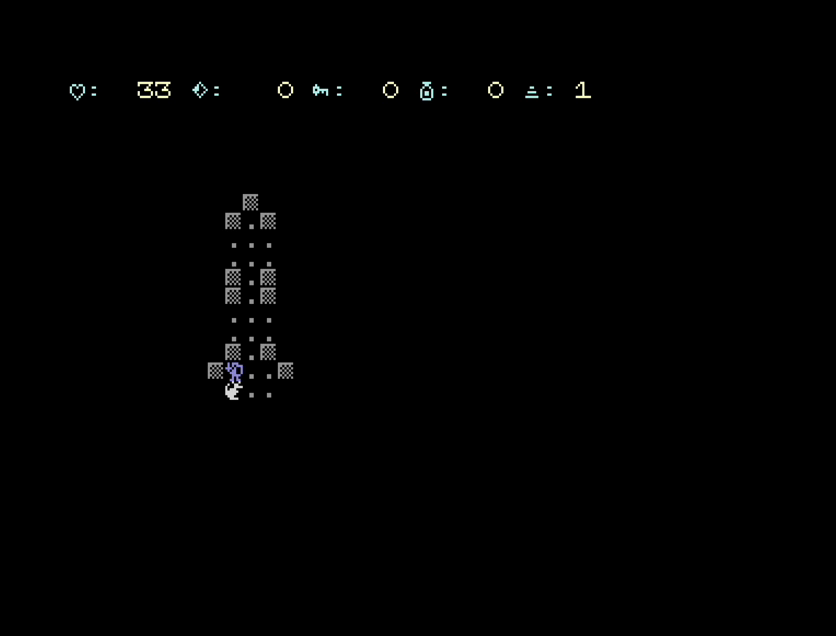
Cost is about 7 ms a turn more for the enemies, or 0.65 s a turn.
The fireball lights the dark
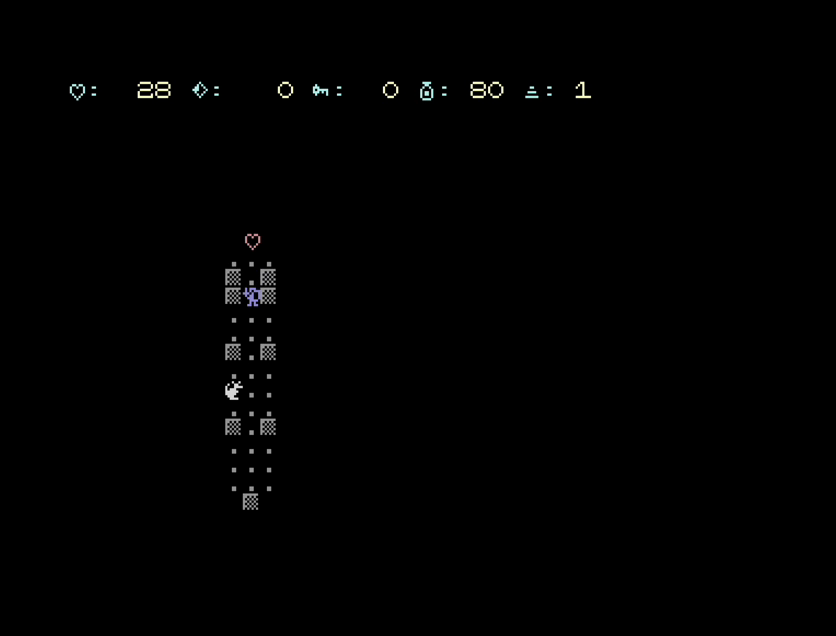
I call it a fireball in the articles, so it should light things up. With some additional code we can make the fireball reveal each cell it reaches before deciding whether it should carry on, making it a way you can scout ahead (if you have enough magic):
BOLT:
FA=SA+LUT(FY)+FX
REM THE FIREBALL LIGHTS UP THE DARK AS IT GOES
IF PEEK(FA)=32 THEN POKE FA,PEEK(FA-1024)
CH=PEEK(FA)
Floor lets it continue, and a wall or an enemy is now shown and stops it. Lighting only the path leaves a dotted line in the dark, which does not read as a corridor. So there is an option, FW=1 (set in INITONCE), that also lights the cells either side of the path of your shot:
REM SO = STEP TO THE CELLS EITHER SIDE OF THE PATH:
REM 40 (ROW ABOVE/BELOW) GOING ACROSS, 1 GOING UP/DOWN
SO=1-39*(LX<>0)
...
IF FW THEN IF PEEK(FA-SO)=32 THEN POKE FA-SO,PEEK(FA-SO-1024)
IF FW THEN IF PEEK(FA+SO)=32 THEN POKE FA+SO,PEEK(FA+SO-1024)
(LX<>0) is -1 when true in CBM BASIC, so 1-39*(LX<>0) is 40 going across and 1 going up or down: one line instead of an IF.
On screen the slowness helps you watch the fireball travel and the corridor appear behind it. That is the one place in the game where BASIC’s speed looks deliberate.
Speed by the numbers
I won’t bore you with a blow by blow, but we do need to know what we are working with going into the next part.
After all the amendments and features, the player control and enemy movement is now slower than before and we only have a little RAM left. A walking turn has gone from 0.56 s at the end of part twelve to 0.65 s, about 90 ms (16 percent) more, and with every enemy awake a turn takes 1.7 s. Free BASIC memory is down from about 6.7K to about 3.6K. We need to do optimisation, asap! And that is the topic of the next part …
 Buying 4:3 Monitors in the 21c: CCTV Monitor for Retro Computers?
