
Retro computers were never designed for modern widescreen HD displays. High resolution back in the day was around 600 pixels wide or even half that. What, then, can we do if we want that non-stretched 4:3 aspect ratio 40+ years on?

Resurrecting the Pentium
My Windows XP machine that I have been bringing back to life has a Pentium III in it and the graphics card has just a VGA lead coming out of the back.
Until this week the only thing I had to plug that lead into was a 16:9 flat panel. You know what that looks like. Either the desktop is stretched sideways until everything looks weird and wrong, or the monitor letterboxes it and you get a tiny picture floating in a sea of black plastic. Neither is how I remember Windows XP circa 2001.
The answer just might be this 4:3 panel, recommended to me by my buddy Steve.
Not only is it a 1024×768 4:3 screen with a VGA socket, and that turns out to be a surprisingly awkward thing to buy in 2026, but it also has HDMI input too for machines like the C64U!
New 4:3 desktop monitors are no longer common and the good ones are not cheap. Old office stock has been sitting in a cupboard for fifteen years with capacitors slowly decaying. I am not about to try and repair one of those guys.
So trusting Steve and his faux Apple monitor project (which we will share in future!), I went and bought this CCTV monitor.
Why a security monitor, of all things
Security monitors don’t need to be widescreen, because a security camera feed tends to be 4:3 and has been for a long time. They kept the aspect ratio the rest of the industry abandoned, and while they were at it they kept every video input anybody might need. That combination is oddly perfect for retro!
The one I bought is a Thinlerain 9.7 inch, 1024×768, 4:3, at £49.99 (there was a £44.99 voucher going when I ordered, Black Friday etc might offer better discounts).
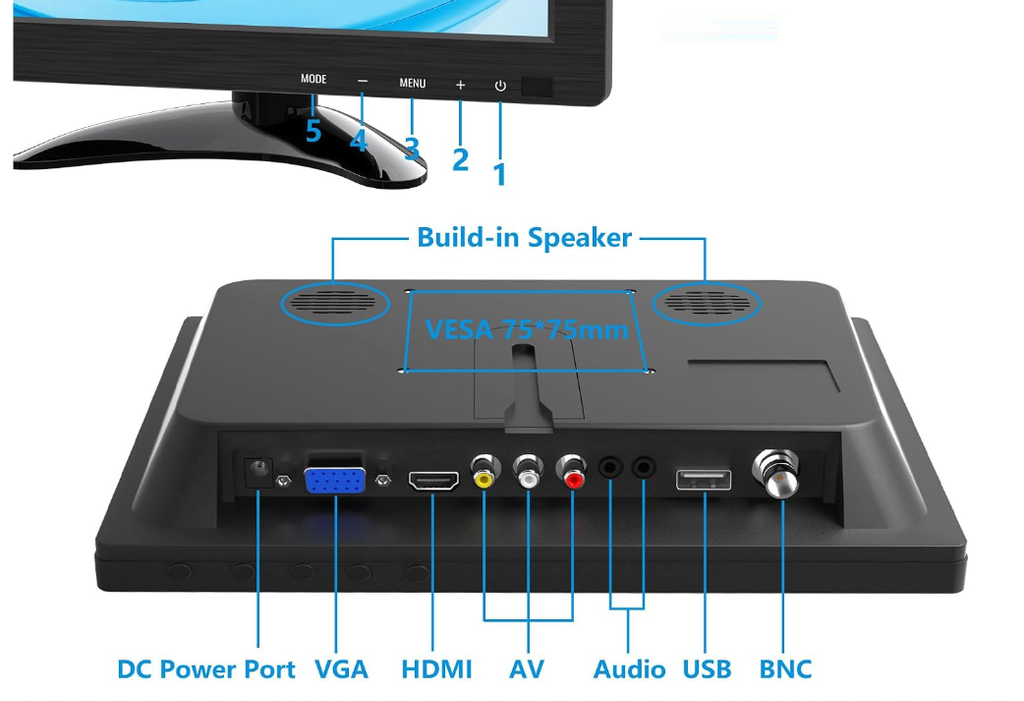
On the back it has HDMI, VGA, composite AV, USB for playing media off a stick, and BNC analog coax arial style input. That last one is the giveaway that this is a CCTV product rather than a computer one.
The rest of the spec sheet is what you would expect at the price. 300 cd/m2 brightness, 600:1 contrast, 60Hz, claimed 178 degree viewing angles, 75×75 VESA holes, a desk stand, a remote, and built-in speakers. In the box you get the monitor, an HDMI cable, remote control, a power cable and a manual.
I do not care too much about the speakers. My brother is the hi-fi guy. If you are looking for expert judgement about audio fidelity, I am definitely not your reviewer. What I do want is a correct-geometry picture through a VGA socket from a machine that predates modern LCD panels, everything else is gravy.
When to (not?) trust the Amazon rating
The listing shows 4.1 stars from 387 ratings. Filter those reviews to the 9.7 inch size, the one I actually bought, and Amazon returns zero matching reviews. Zero. The same is true on the American listing for the same model.
Every one of those 387 ratings belongs to a different size in the same product family. Mostly the 13.3 inch, which is a different panel at a different resolution and a different shape, plus some 10.1 inch and 15.6 inch. The star rating on the page is real, it is just not about this screen.
Funny thing too, the AI generated summary at the top of the reviews quotes a line as if it were praise (“good enough for low-res movies”) which in the original review is the reviewer explaining why he sent it back.
That said, zero reviews for my particular model does not mean zero information, though. These guys share a chassis design, a menu system and probably a scaler board, so the complaints that keep repeating are worth looking over as things to check rather than things to assume.
- The HDMI socket is recessed too far into the case. Multiple owners of the 13.3 could not get a normal HDMI plug to seat. One sanded half a millimetre off the plug. A more sensible owner used a right-angle HDMI adapter and got on with his life.
- VGA text mode sat about a third of a character left of where it should have been, and the display settings did not survive a power cycle. Deeply relevant to me, since VGA text mode is exactly what my XP box shows on the way up.
- Dim, with poor contrast and narrow viewing angles. Every complaint of this kind I found was against the 13.3, which reads like a TN panel. The 9.7 inch panels from the equivalent iChawk and Eyoyo models are IPS, so this may not relate at all, so I wanted to see it with my own eyes before deciding if to keep it.
- A reliability tail. Backlight dead on one side out of the box. Died after six months. HDMI dropping every twenty seconds on a revised hardware version. Not the majority, but not nothing either, and the sort of thing to weigh if this is going somewhere inaccessible.
- The stand is fiddly and the screen surface is soft plastic that scratches. One owner’s supplied base did not fit his monitor. Mine is fine but it does have an annoying tilt a lot of the time. I will be remounting mine, I am sure.
- One ham radio operator returned his because it interfered across roughly 20 to 30MHz. Niche, but a lot of us older retro guys could have radios in the same room.
It’s not all complaints. The positives repeat too, and they are all from people using it the way I intend to. PC repairers love these as bench screens for testing graphics cards and headless machines, because one small monitor with five inputs replaces a shelf of monitors and a bag of adapters. Nobody is asking it to be a good daily driver work desktop monitor, and neither am I.
I looked outside Amazon for an independent review of the 9.7 specifically, in text or video, and there is not a single one. The nearest video reviews the 13.3, a different panel at a different resolution.
My testing and results
While I purchased it intending to pair the screen with my XP box, I of course had to check if the Amazon comments had any merit too.
Windows XP over VGA
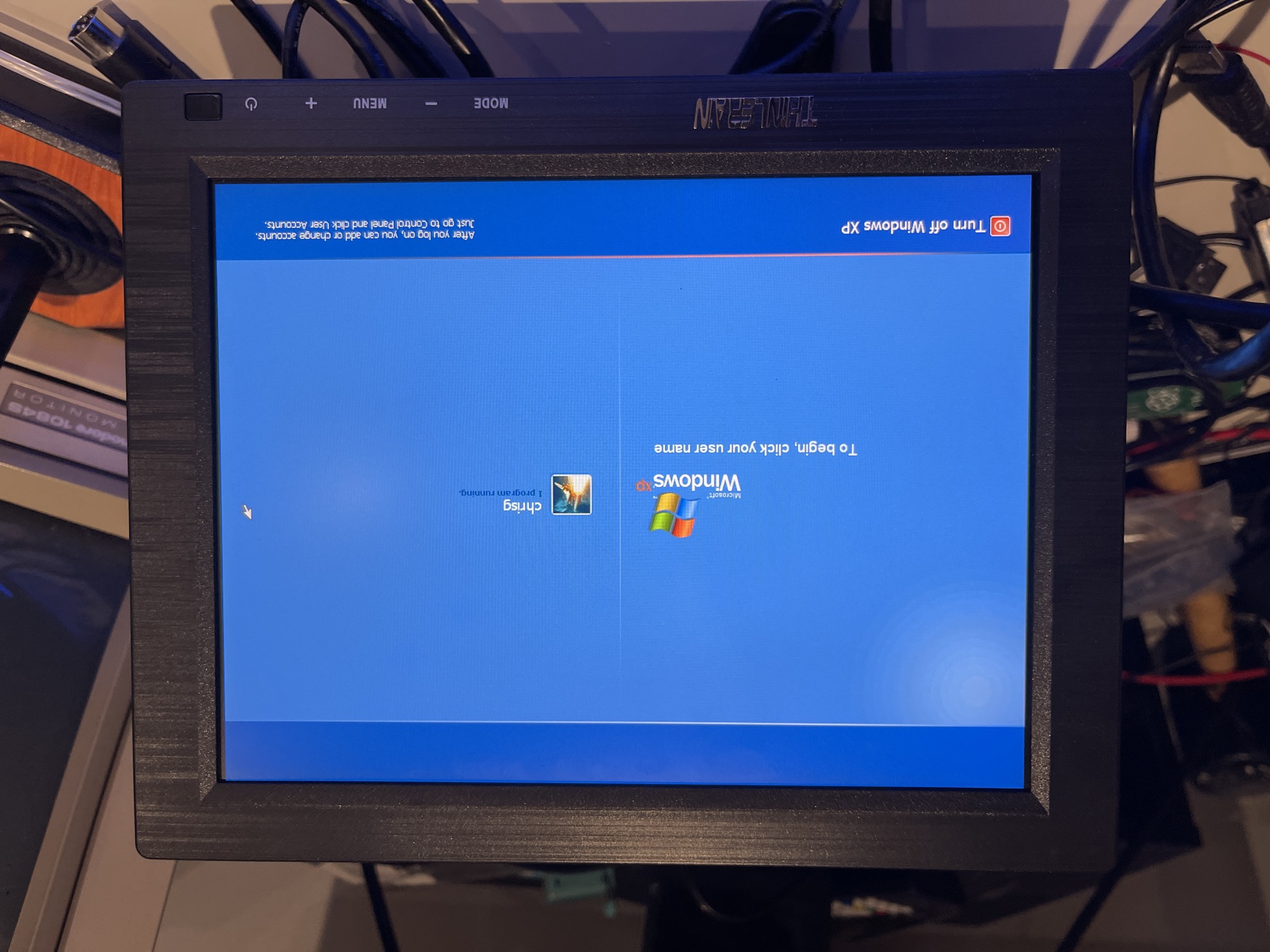
1024×768 from the Pentium III over VGA fills the panel edge to edge. Small text and the mouse pointer are sharp, because the signal matches the panel’s own resolution.
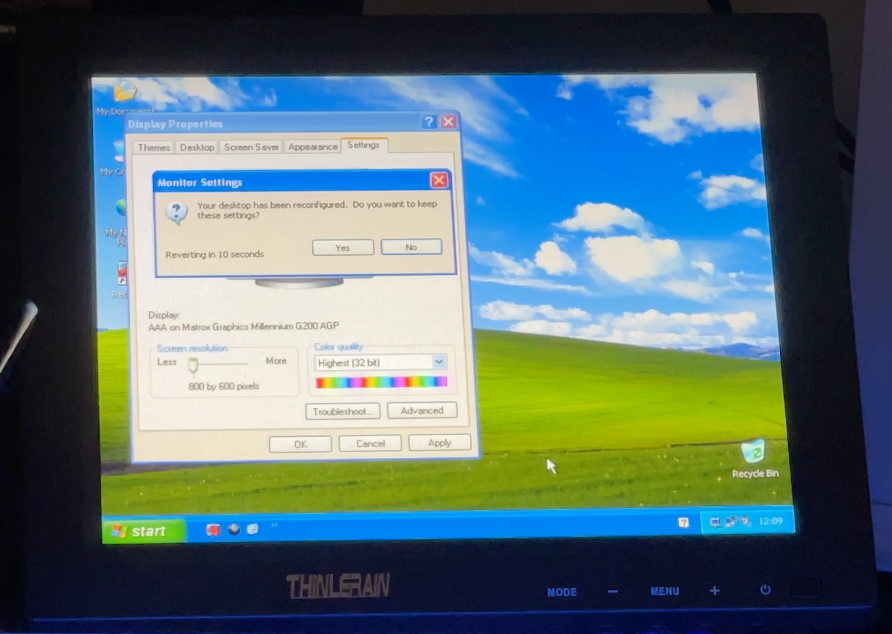
800×600 also looks fine through the scaler.
C64 Ultimate over HDMI
A normal HDMI cable fits. No recessed socket problem on the 9.7 inch, so no adapter or sandpaper needed.
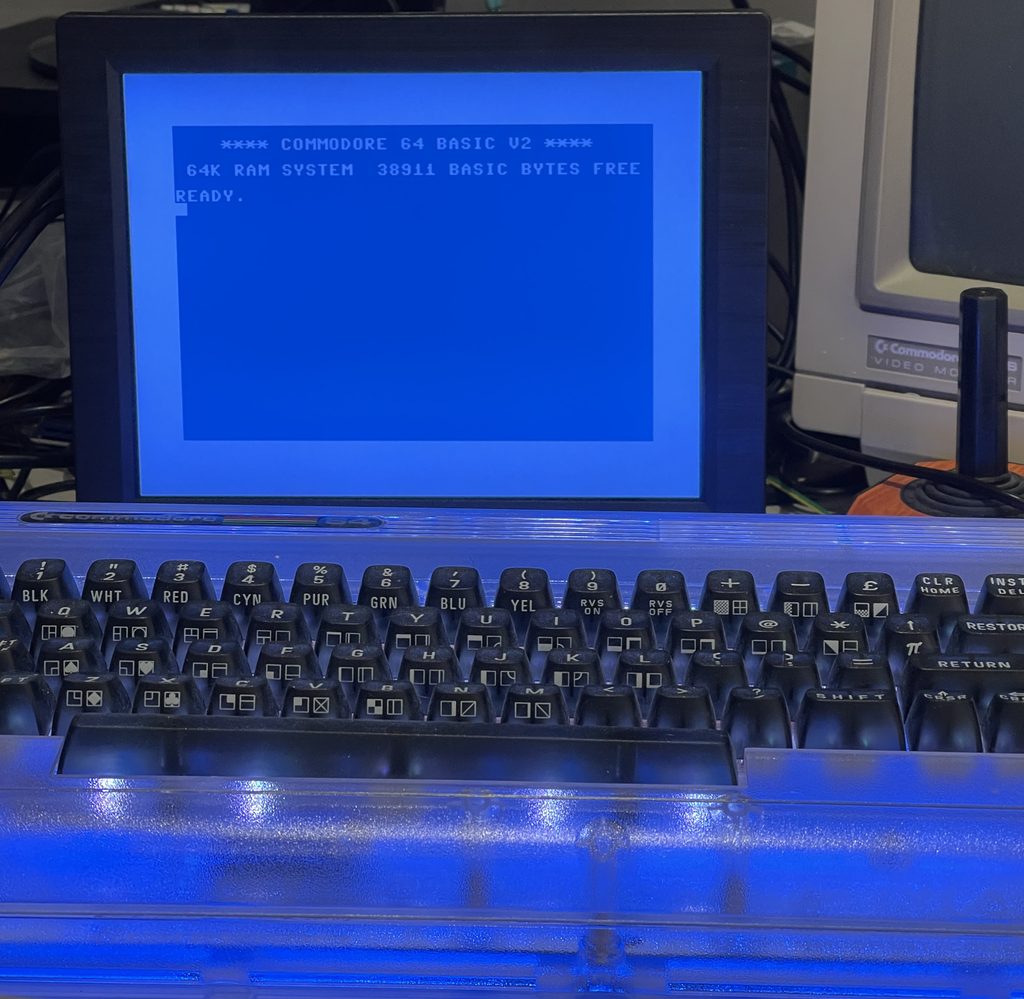
Switching the C64U between PAL and NTSC in its settings, the monitor follows by itself, so it accepts both 50Hz and 60Hz over HDMI.
C64 Ultimate over composite
My first try over composite gave a black and white picture, even with the C64U switched to NTSC. That was the lead, not the monitor, it turns out. The plug I originally had in the video socket was providing luma only, the brightness part of the signal without the colour.
I tried a 4-plug lead, instead, switching to using the additional black plug in the monitor’s white socket, and colour worked in both PAL and NTSC.
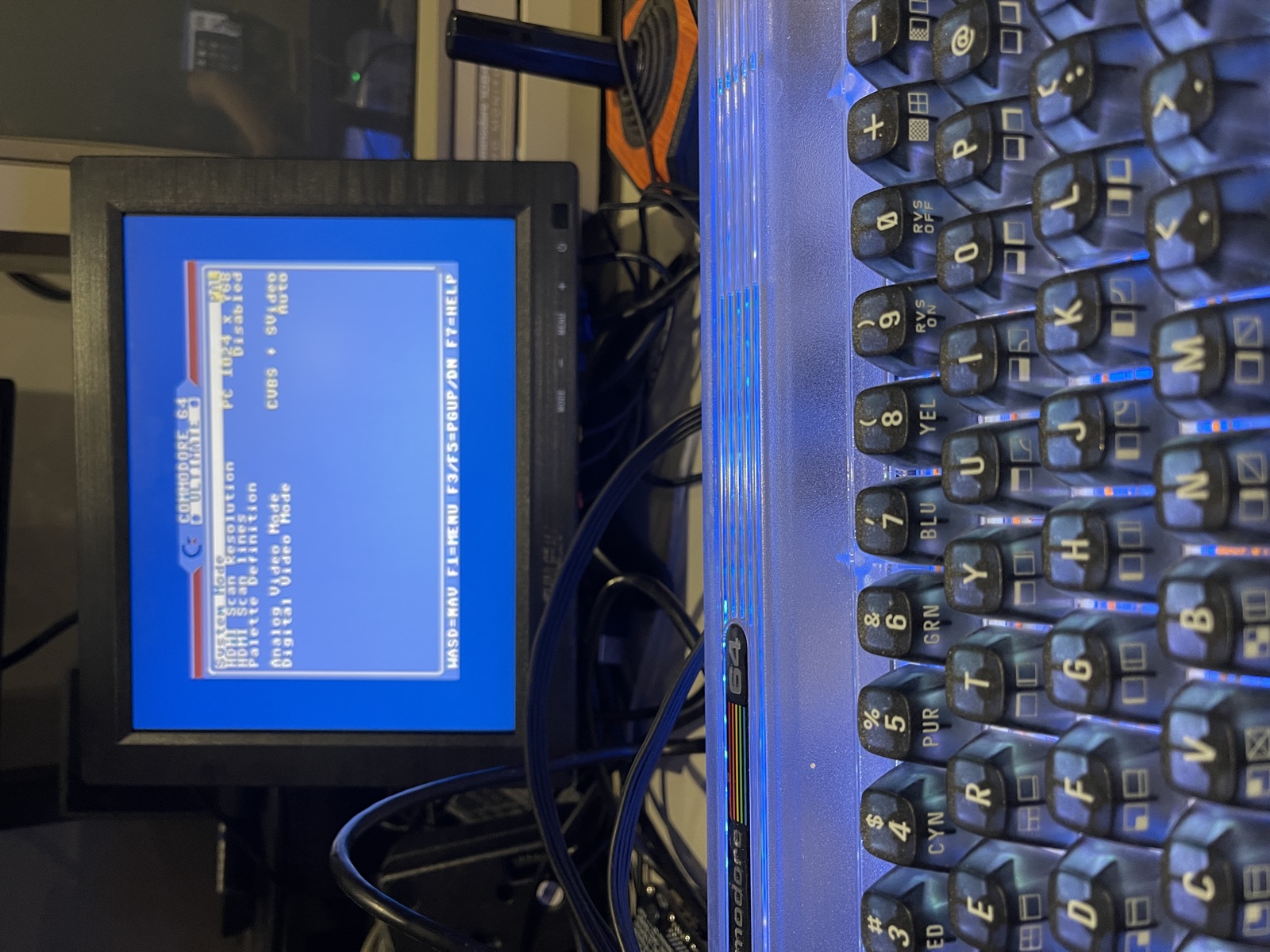
Leave the C64U’s Analog Video Mode on CVBS + SVideo. The other settings put RGB on the AV socket, and with a normal AV lead I got a blank screen and a nasty buzz from the speakers.
It is not as sharp as HDMI, but it is great to have the option!
Viewing angle
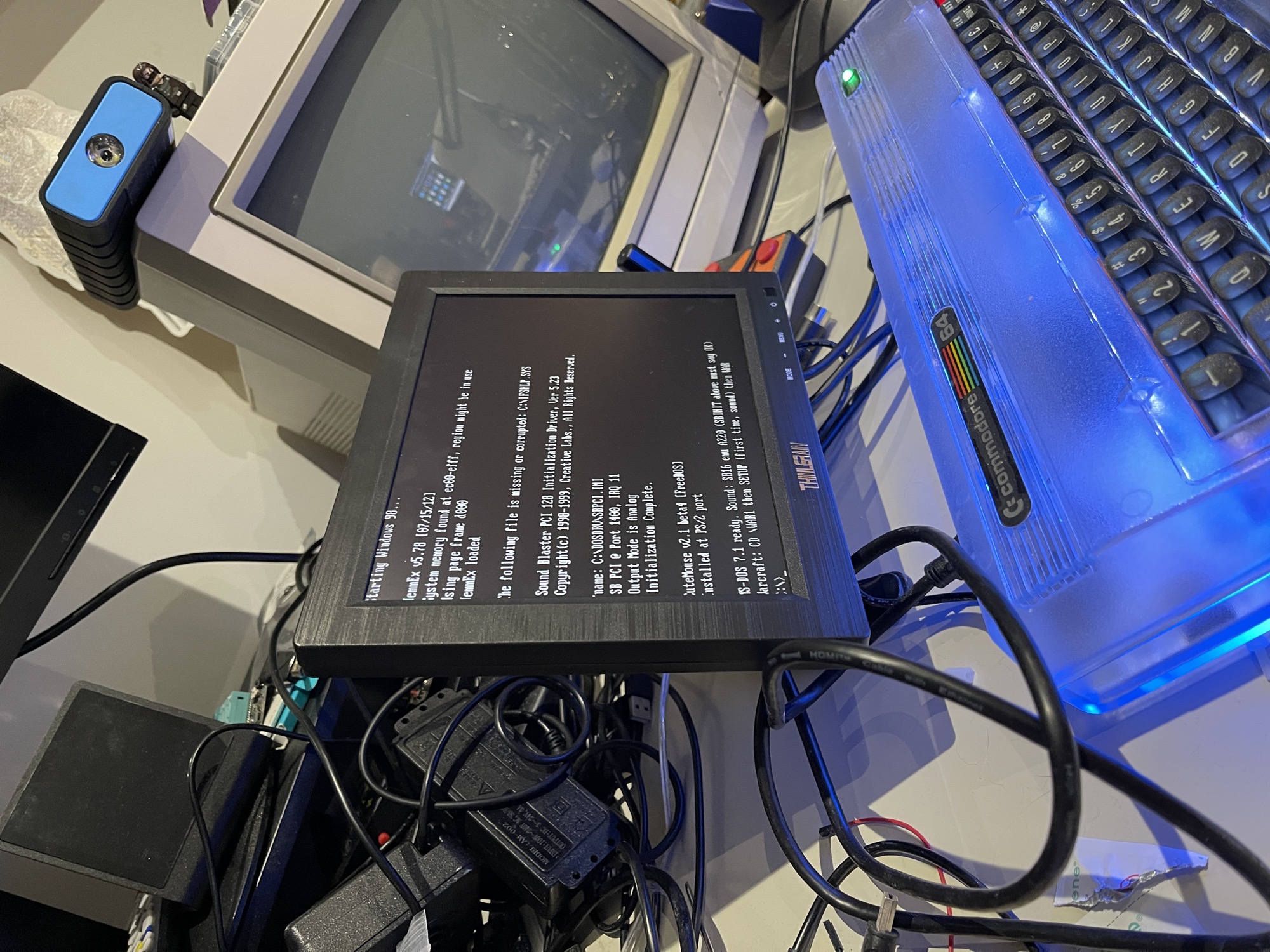
From well off to one side and from below, white on black stays clean with no colour shift or inverted contrast. That is how an IPS panel behaves, not the TN complaints from the 13.3 inch.
VGA text mode: the first column is lost
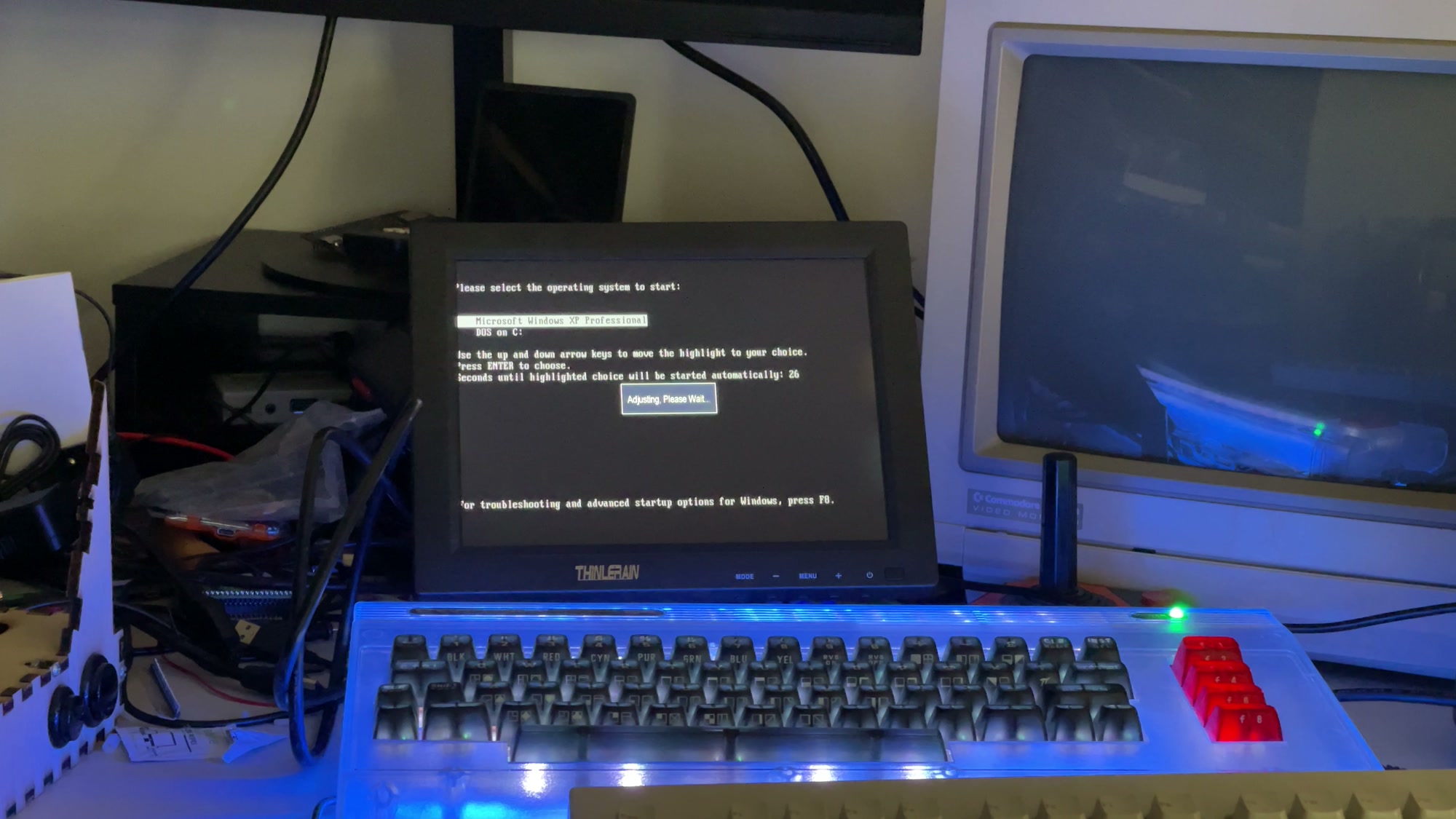
Same fault the 13.3 inch owners reported. At the XP boot menu and in DOS the first character column is mostly gone: “lease select the operating system”, “tarting Windows 98”.
The monitor shows “Adjusting, Please Wait” over the boot menu, and the clipping is still there afterwards.
Past the bottom of the Picture tab, after Aspect Ratio, there is a PC Setup page: Auto Adjust, H Position, V Position, Phase and Clock.
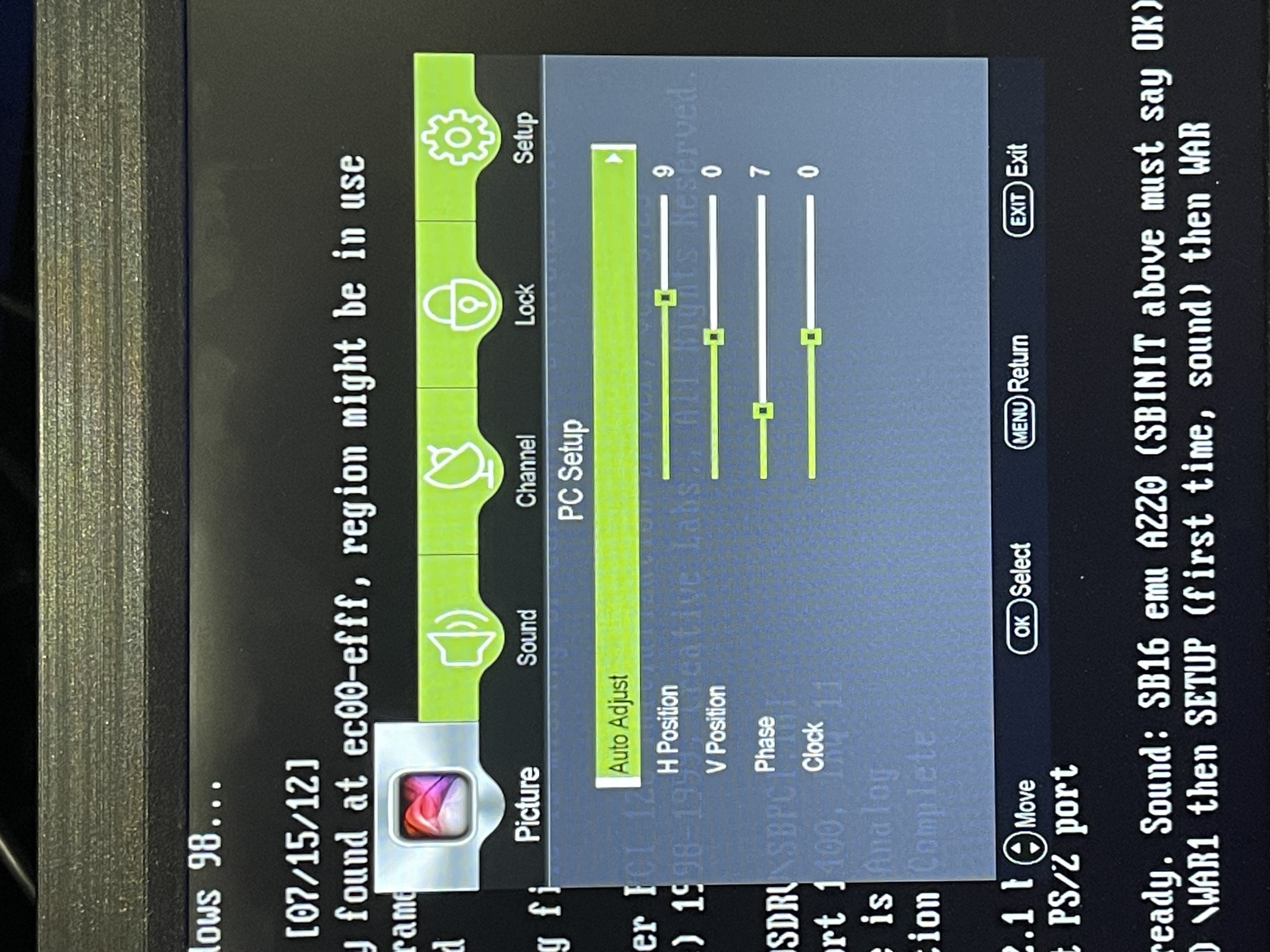
H Position moves the picture, but the missing pixels stay missing. With it turned up there is a black gap down the left side and the letters are still cut.
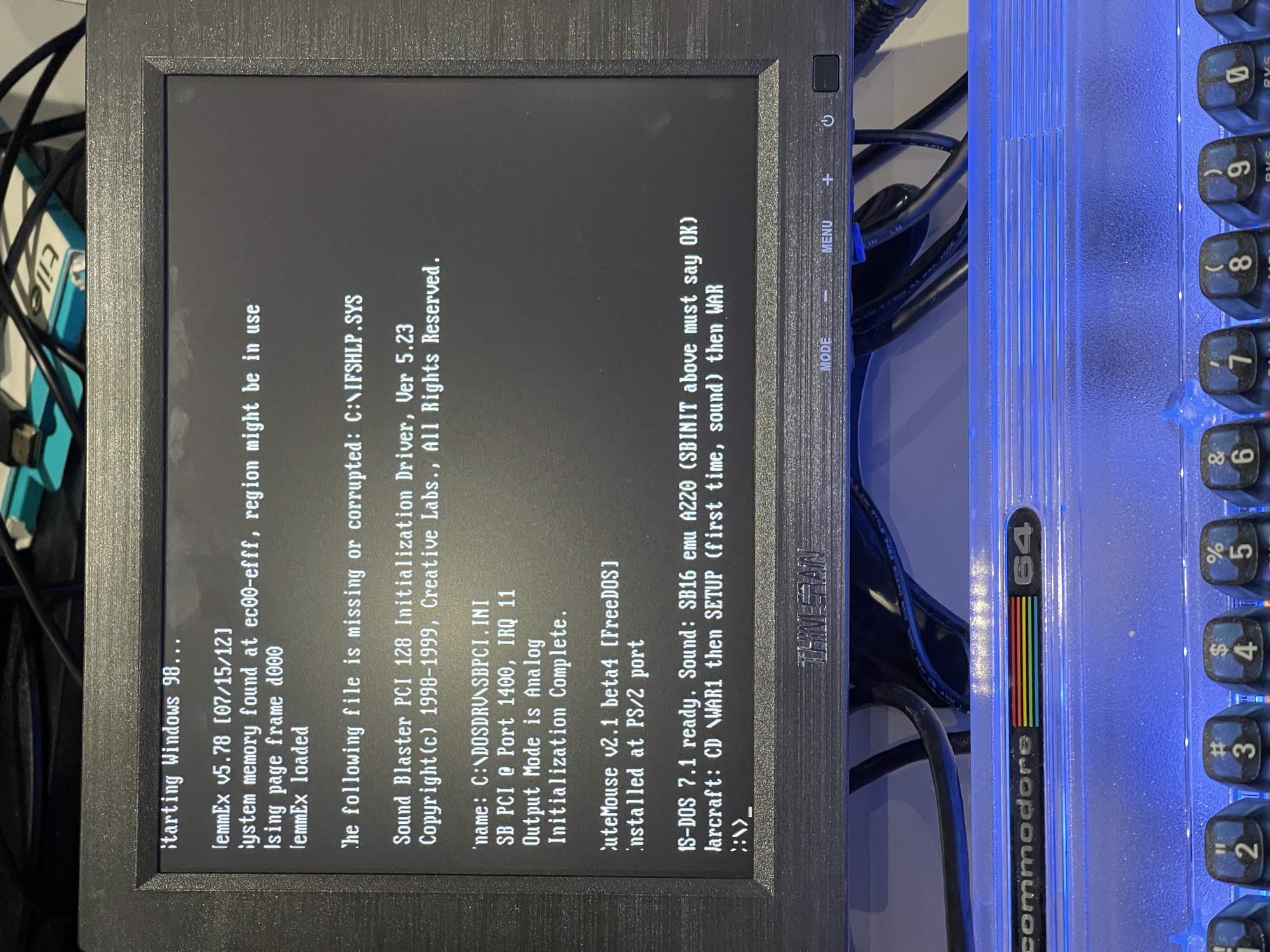
Clock makes no difference, and the text is crisp, so the sampling rate is not the problem.
The scaler’s capture window starts too late on each line, so the first pixels are never stored. H Position only moves the stored picture. DOS text mode is 720×400 and uses exactly the same timing as 640×400 graphics, so the monitor cannot tell them apart and its preset for that timing is wrong. Auto Adjust looks for the picture edge, and DOS text has a black margin, so it has nothing to find.
Settings survive a power cycle.
DOS games at 320×200
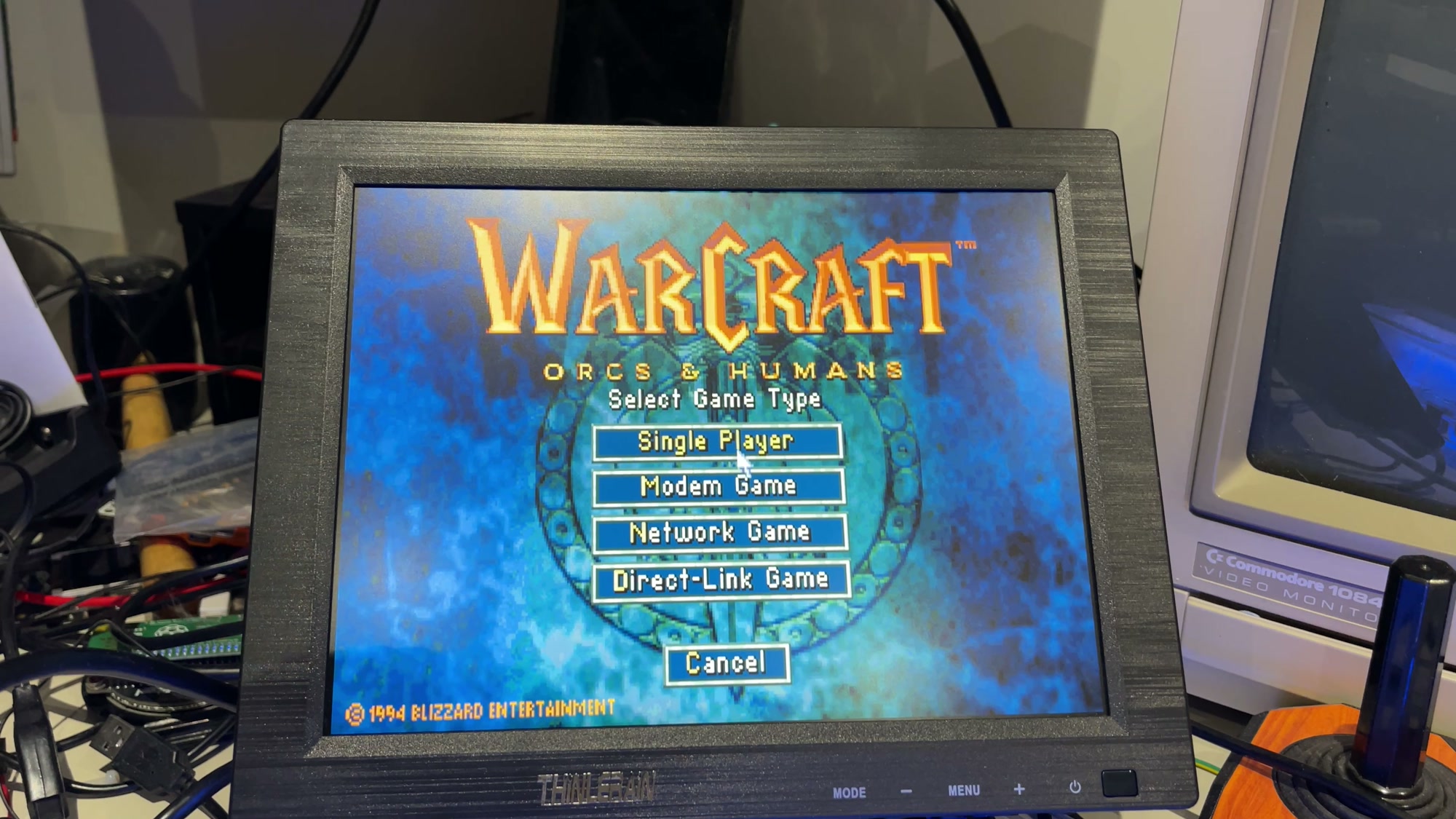
Warcraft: Orcs and Humans runs at 320×200, which the VGA card sends as 640×400 at 70Hz, the same timing as text mode. No clipping: the 1994 Blizzard copyright at the bottom left is complete.
With Aspect Ratio on Auto, the default, it is letterboxed at 16:10, about 17% flatter than on a CRT, where those 400 lines filled the whole 4:3 screen.
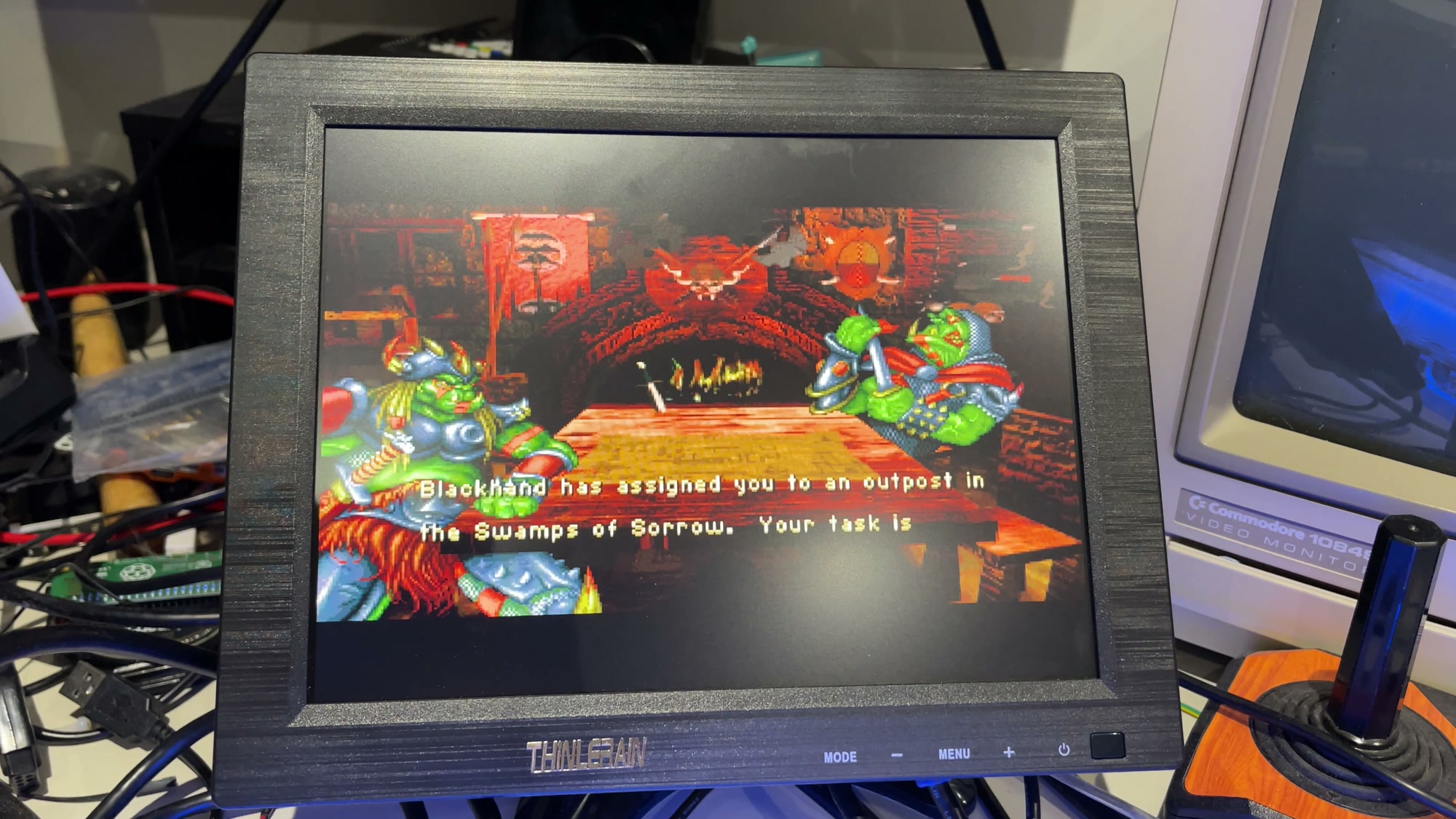
Aspect Ratio on Full fixes it. The game fills the 4:3 screen in the shape it was drawn for.
The menu and firmware
The menu is a generic TV board: Picture, Sound, Channel, Lock and Setup tabs, with Channel and Lock doing nothing useful on a monitor.
There is a firmware update over USB option, but I could not find firmware for this monitor anywhere, from Thinlerain or anyone else. Flashing firmware for a different board would likely brick it.
Thinlerain 9.7″ Monitor Review Conclusion
This screen is good value and the aspect ratio combined with the input choices is the reason why.
What I am not going to do is tell you it is perfect or that it is even an objectively good monitor. You can look elsewhere if you are comparing refresh rates, brightness, colour reproduction and so on.
Even the Amazon listing is not exactly shouting about the “Thinlerain” brand, so again it is about being cheap and doing the job, not about a premium experience.
Five video inputs on a fifty quid screen, with VESA holes so it can go on an arm and get out of the way. If it did even half of what I have listed above, it would have been a fine companion to the XP machine, but it turns out it works great with the C64U, Raspberry Pi, etc also.
As an Amazon Associate I earn from qualifying purchases. It costs you nothing extra.
 C64 BASIC Dungeon Crawler: Rats, Shields and Fireball Magic