
This post is the Atari ST half of a pair. We already made a conio-like library on the Amiga, now it is the Atari ST turn.
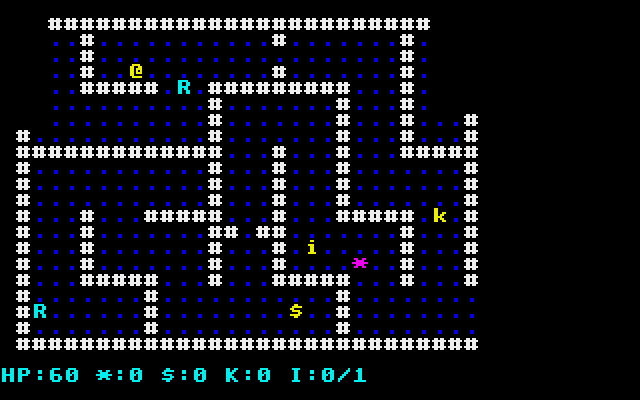
What follows is everything that’s specifically Atari ST.
▶ Play it in your browser
The finished adapter is wired up as a preset in our in-browser Atari ST IDE (EmuTOS). Hit Run and you have a TOS console showing the retro-c dungeon, drawn over VT52 escape sequences. No install, no SDK setup, just click:

VT52 and what it provides
VT52 means the DEC VT52. Yes, the Atari ST inherits from a terminal that’s as old as I am.
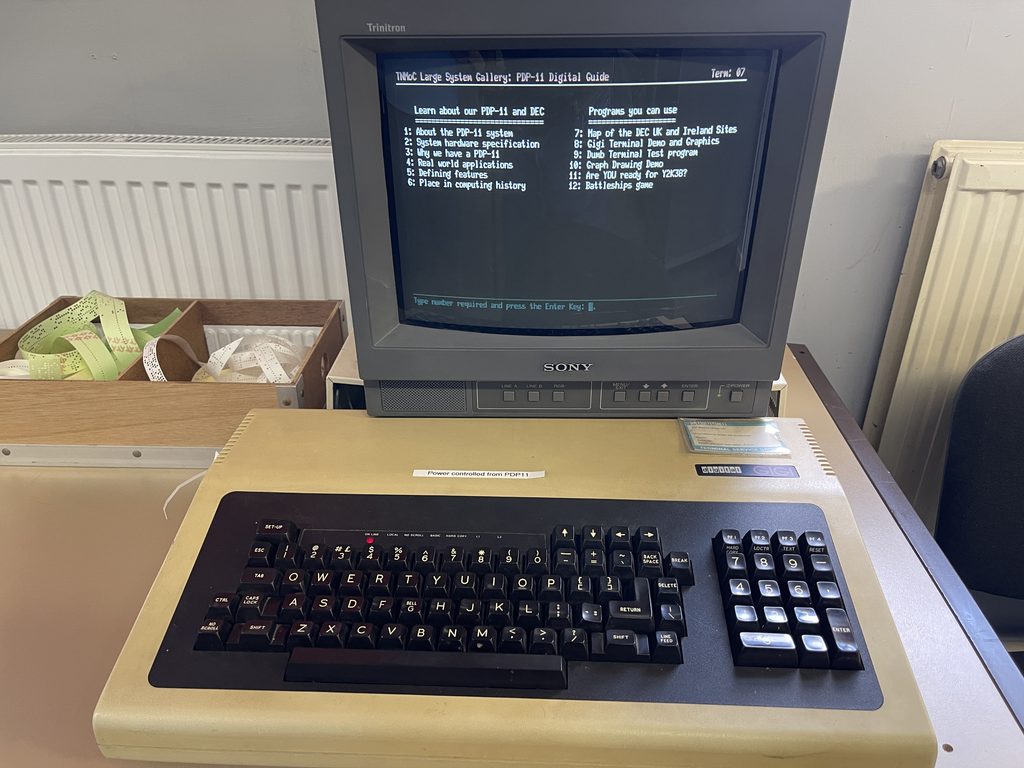
The TOS console parses a small command set:
| What we want | VT52 sequence |
|---|---|
| Clear screen + home | ESC E |
| Cursor home | ESC H |
| Cursor to (col, row) | ESC Y then row+32 then col+32 |
| Foreground colour | ESC b N where N is a palette index |
| Background colour | ESC c N where N is a palette index |
| Cursor off / on | ESC f / ESC e |
| Clear to end of line | ESC K |
The “row+32, col+32” offset is a tricky aspect. VT52 expects each coordinate as a byte whose value is coord + 32. Why? Adding 32 moves every coordinate into the printable range, the lower values are already taken by control characters.
What GEMDOS provides
VT52 sequences need to reach the console somehow. printf works but pulls in the formatting features so is unnecessarily bloated for what we need. Instead we can use the Cconout (not coconut!) GEMDOS call:
#include <tos.h>

void emit(const char *s) {
    while (*s) Cconout((int)(unsigned char)*s++);
}
Cconout writes one character to the console with no formatting, no buffering. For input, Cnecin blocks until a key is pressed and returns a 32-bit value with the scan code in the high word and the ASCII code in the low byte. Cconis answers the “is a key waiting?” question for non-blocking polling.
That’s the entire I/O setup we need for a text-mode dungeon.
“Why can’t I just POKE the screen like on a C64?”
If you’ve come from 8-bit BASIC or C, your instinct is probably to ask why we’re sending VT52 escape sequences at all instead of writing bytes straight into screen memory. The Atari ST can be poked directly. It’s just not laid out the way, say, a C64 is.
Screen memory address
On the C64 the screen lives at $0400. On the Atari ST the screen lives at whatever address the OS picked at boot time. You can ask for that address with the Logbase() XBIOS call, which returns a pointer to the base of the logical screen buffer (32 KB in low-res, 16 KB in medium-res, 32 KB in mono).
That address is stable within a session, so once you have it you can push bytes to it. It’s just not the same address from one boot to the next, and definitely not the same address on a different ST model, so you can’t hard-code $78000 and expect it to keep working.
One byte != one character
On the C64, screen RAM is a 1000-byte rectangle of screen-codes. One byte == one character cell. On the Atari ST, though, screen RAM is a bitmap, not a character grid. There’s no built-in “cell”. To draw a letter you push pixel data into the bitplane bytes at the right offset for the specific row.
The Atari ST also has three native screen modes, each with its own bitplane layout:
| Mode | Resolution | Bitplanes | Colours on screen | Palette space |
|---|---|---|---|---|
| Low-res | 320 × 200 | 4 | 16 | 512 (9-bit RGB on the original ST, 4096 on STE) |
| Medium | 640 × 200 | 2 | 4 | same |
| High | 640 × 400 | 1 | 2 (mono) | none, just black/white |
The TOS console (VT52) does all the bitplane-arithmetic for us when we send Cconout(c). The library uses the system font and writes the correct bytes to each plane at the right offset. That’s most of what conio does for us on a C64 and we’re just spelling it Cconout instead of cputc.
The Atari 520 ST had no blitter
The 520 ST and the 1040 ST that defined the platform for the longest time didn’t have a blitter chip. The 68000 CPU had to move all the pixels around. A blitter showed up later in the Mega ST and STE, arguably too late, and software had to detect it.
What that means is ST games tended to be careful about how much they redrew per frame, and standard graphics libraries are CPU-based so they will run on any ST.
For our turn-based roguelike Cconout is sufficiently fast. The dungeon redraws are small, not the full screen, so even on a no-blitter 520 ST you wouldn’t notice too much.
What do Atari ST games usually do?
Three options, depending on what the game needs:
- Use the console: what we do here. Smallest code, fine for text-mode games and tools.
- Write screen bytes directly: open a screen / palette, then push bytes at the bitplanes. Standard pattern in 80s and 90s ST games.
- Take over the hardware: ignore TOS. Demo-scene path. Maximum control, zero portability, hard mode.
Later we will look at the second style, and investigate using the STE’s blitter, 4096-colour palette, hardware scroll, etc all without rewriting the game logic.
The Atari ST adapter
The full file is at platform/plat_atarist.c in retro-c. Here are the interesting bits.
Glyph table
static const uint8_t glyph_native[G_COUNT] = {
    '.','#','+','@','E','$','!','/','>','%', ' ','*', 'h','*','i', '*', 'k','-',
    'G','R','T','&'
};
The game uses symbolic glyph IDs (G_WALL, G_PLAYER, G_GOBLIN). The adapter maps each ID to the ASCII character we want to draw on screen. The Atari ST sticks close to ASCII for the printable range so this table is the same on most machines.
Init and shutdown
The first version of plat_init was just clear and hide-cursor:
Cconout(0x1B); Cconout('E'); /* clear screen + home */
Cconout(0x1B); Cconout('f'); /* cursor off */
That ran, but the dungeon appeared on a bluish background with the EmuTOS desktop pattern showing through. The cause was the default low-res palette, which has index 0 set to white-ish and index 15 set to black. VT52’s ESC E clears with whatever colour palette[0] is.
The fix is a palette swap via XBIOS Setcolor (function 7). We force index 0 to pure black and index 15 to pure white, then clear:
void plat_init(void) {
    Setcolor(0,  0x000); /* background black */
    Setcolor(15, 0x777); /* white for visible text */
    Cconout(0x1B); Cconout('E');
    Cconout(0x1B); Cconout('f');
}
void plat_shutdown(void) {
    Setcolor(0,  0x777); /* restore TOS defaults */
    Setcolor(15, 0x000);
    Cconout(0x1B); Cconout('e');
    Cconout(0x1B); Cconout('E');
}
Setcolor‘s value is a 12-bit 0x0RGB triple with each channel in the 0..7 range. Shutdown restores the defaults so the shell doesn’t inherit our remapped palette.
The colour table at the top of the file uses 0 for COL_BLACK and 15 for COL_WHITE to match, with the mid slots keeping their TOS-default primaries.
Drawing a glyph
void plat_putc(uint8_t x, uint8_t y, glyph_t g, uint8_t colour) {
    Cconout(0x1B); Cconout('Y');
    Cconout((int)(y + 32));
    Cconout((int)(x + 32));
    Cconout(0x1B); Cconout('b'); Cconout((int)vt52_colour[colour & 7]);
    Cconout((int)glyph_native[g]);
}
Three escape sequences and one character. Move the cursor with ESC Y, set the foreground colour with ESC b, then write the glyph. Slower than writing screen memory directly on a real ST, but easily fast enough for a turn-based roguelike.
Reading the keyboard
uint8_t plat_key_wait(void) {
    long k = Cnecin();
    uint8_t scan  = (uint8_t)((k >> 16) & 0xFF);
    uint8_t ascii = (uint8_t)(k & 0xFF);
    switch (scan) {
        case 0x48: return K_UP;
        case 0x50: return K_DOWN;
        case 0x4B: return K_LEFT;
        case 0x4D: return K_RIGHT;
        default:   break;
    }
    switch (ascii) {
        case ' ': case 13:
        case 'z': case 'Z': return K_FIRE;
        case 'q': case 'Q': case 27: return K_QUIT;
        ...
    }
}
The arrow keys don’t have an ASCII code, so we look at the scan code in the high word of the Cnecin return value. Everything else (letters, space, return, ESC) comes through as ASCII. WASD is also supported.
Timing and randomness
Vsync from plat_delay_ms divides the requested milliseconds by 20 and calls Vsync that many times. Hacky, but on a turn-based game nobody will notice.
Random (XBIOS function 17) returns a 24-bit random number. We take the low 16 bits as a seed for a small xorshift generator, which is fast and good enough for picking dungeon rooms and monster spawns.
Next steps
That’s the Atari ST adapter and the equivalent now works on the Amiga too. If you haven’t already seen, the Amiga post covers other side of the story. We can now port the retro-c game to any vbcc target that has a console!
Programming the Amiga and Atari ST in C: the series
- Hello World with VBCC
- Counter Loops and Game Ticks
- ASCII Dungeon Tiles
- Reading Keyboard Input
- A “Not Conio But Compatible” Adapter (shared theory)
- The adapter on the Amiga
- The adapter on the Atari ST (you’re reading it)
- Amiga Graphics – A Real Bitmap Screen in C
 “Not Conio But Compatible” for Amiga VBCC