
What do you get when you take a Commodore 64 and remove the SID sounds, the colour, the sprites and 32KB of RAM? The Commodore PET!
I joke, of course, but in many ways as a programmer this is often how the PET is treated. That said there is a fantastic computer under the iconic case and monitor combo!

It all started with the 6502
In 1974, Chuck Peddle and his team at MOS Technology began developing a new line of microprocessors, out of which came the 6502. The goal was to create a chip that could compete with, or even replace, the more expensive Motorola 6800 processor.
Motorola sued over compatibility issues, so they understandably instead focused on the 6502, a cheaper yet highly effective CPU. In fact, its introduction contributed to rapid decreases in prices across the whole processor market because it sold for a fraction of the cost of chips from Motorola, Texas Instruments, or Intel. Along with the Zilog Z80, it drove an explosion of home computing right into the late 1980s.
As well as Commodore’s line of 8-bit computers, went on to power many of the best-known microcomputers and consoles of the era:
- The Steves used it in their Apple and the II series
- Atari game consoles and home computers
- Nintendo Entertainment System (NES) and a variant in the SNES
- Acorn Atom, BBC Micros, and Electron
KIM-1, the Proto-PET?
Using the 6502 as the core, ChuckPeddle designed a single-board computer he ended up naming the KIM-1, kind of a reference design for the processor but a usable microcomputer in its own right.
As with many of the 1970s computers, it could be programmed directly into memory from a keypad, but later it acquired simple display and BASIC interpreter.
It became popular among the then niche hobbyist and engineering community, and laid the groundwork for future consumer machines.
Commodore Business Machines acquired MOS Technology in 1977, as CEO Jack Tramiel shifted the company away from the super-competitive calculators market into personal computers.

The Commodore PET 2001 was released at CES the same year, aggressively priced against the competition (according to Wikipedia US$795, equivalent to over $4000+ today), and along with the Apple II and TRS-80 (“the trinity”), it was one of the first successful all-in-one, pre-built personal computers.
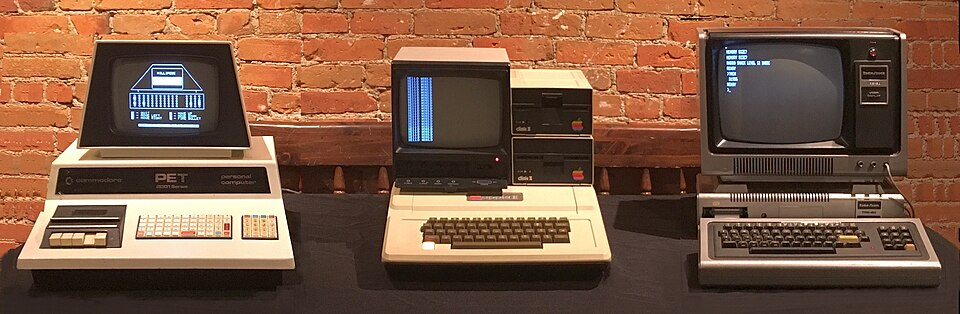
At its foundation it was very similar to the KIM-1, but with an integrated monitor, keyboard, and tape storage, and a case reportedly designed and manufactured by Commodore’s filing cabinet people. Over the next few years PET’s design and architecture evolved over several subsequent models, such as the PET 4000 and CBM series, with bigger screens, better specs, and improved ergonomics.
The story goes that “PET” was named based on “Personal Electronic Transactor” but to me that makes no sense (who calls something a transactor?) I believe the other story that it was a user-friendly sounding name based on the “PET rock” craze at the time. Apparently Phillips had the PET trademark in Europe?
PET Specs and Features

- MOS 6502 CPU running at 1 MHz
- 4K of RAM, settling on 32KB RAM (expandable), all the way up to 96KB on the SuperPET 9000
- 20KB ROM containing Microsoft-licensed CBM BASIC and system firmware
- MOS 6545 video chip providing text modes (40×25 up to 80×25 characters)
- Monochrome display, with only graphics being included characterset symbols (PETSCII).
- No sound hardware, initially didn’t even have an included speaker or beeper.
- Expandable with accessories such as cassette drives, printers, and other peripherals, which were mostly compatible with future computers in the Commodore family.
- Originally, as was common in the late 70s and early 80s, storage was via cassette tapes.
- External floppy drives became available after launch, though they were extremely expensive and over-engineered, sporting its own CPU and RAM.
Programming the Commodore PET
It’s interesting to me that in many ways the PET beats the Vic 20 and C16 in specifications for business, having more RAM, 80 columns of text, and later PETs had the improved and expanded BASIC 4.
Heck, you could think of the Vic as being a colour PET with a smaller, cost-reduced form-factor and the addition of colour and sound if it wasn’t for the lack of RAM and screen memory, which is understandable as at the time RAM was crazy expensive. Commodore only officially re-introduced 80 column text with the C128, many years after the demise of the PET line.
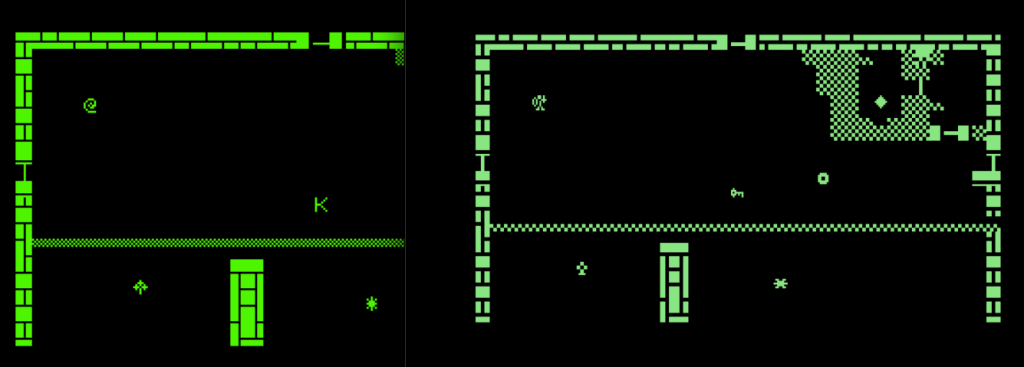
For games, you will find most people will target the 4032, which has 40 columns of text and 32KB of RAM, and the PETSCII graphics + uppercase characters. This makes an easy port from or to the C64, with on the 64 side spare memory to add graphical and sound flourishes.
Commodore BASIC
Most BASIC programs are pretty interchangeable between all Commodore systems, due to the consistant syntax and “relocatable” nature of BASIC in memory on machines released after the PET (meaning a program saved on, say, a 64 disk will not load properly on a PET).
These listings most often break only due to POKEing memory addresses that are different or don’t make sense on specific computers. For example, a C64 listing might want to change the border colour, but the PET doesn’t have any colours at all.
So if even within the PET range there are differences in ROMs, how do you write one program that works across all of them? It turns out
10 X = PEEK (50003): POKE 50003,0: Y = PEEK (50003)
20 IF Y = 160 THEN V$ = "4.0":REM 4.0 ROMS
30 IF Y = 1 THEN V$ = "2.0":REM 2.0 ROMS
40 IF Y = 0 THEN POKE 50003,X :V$ = "C64": REM COMMODORE 64
50 IF Y = 194 THEN V$ = "VIC20": REM COMMODORE 64
1000 PRINT V$,Y
On most Commodore computers the address 50003 is in ROM, but on the C64 it is in RAM so must be saved and restored again in case there is anything important stored there.
Once we know which system we are running on we can make appropriate changes to the addresses we write to or read from. A major example would be high-speed screen writes using screen memory, as On the PET the screen is starts 32768 but the 64 is at 1024.
Robin from 8 Bit Show and Tell had a nice video about loading PET software on the C64:
We take a look at a single line of BASIC from Jim Butterfield, published in The Transactor magazine in 1984, that re-configures the Commodore 64 to be able to run some Commodore PET software. We type it in, test it out with a few PET games, and figure out how it works.
XC-BASIC for the Commodore PET
I was happy to see XC-BASIC3 has support for the whole range of Commodore systems, including the PET. This was one of the things that made the decision for me to add it to my online retro programming IDE.
If you are working on your desktop rather than my IDE you can switch targets using -t or --target= and can select between pet2001, pet3008, pet3016, pet3032, pet4016, pet4032, pet8032.

Programming the PET in C Using CC65

CC65 can also target the PET if you want to use C using the -t PET option, eg:
cl65 -t pet -v -Cl -O -DCC65_NO_RUNTIME_TYPE_CHECKS -o petgame.prg pet-game.c
For convenience you can specify compiler preprocessor directives and header files common to all Commodore systems (cbm.h) and also PET-specific ones.
As an example, I might specify that I need the uppercase character set only for the PET:
#ifdef __PET__
    // Uppercase/Graphical characterset = 12
    POKE(59468,12);
#endif
6502 Assembler for the PET using Kick Assembler
While Kick Assembler does not have a tidy -t target parameter (which I admit confused me for a little while), it does have a nice BasicUpstart that does the BASIC auto run statements for you. Other than the PET-specific memory map and kernal routines, it is pretty much just 6502 from there as in this Hello World example:
// Hello World program for the Commodore PET
// Outputs "hello world" to the screen

.encoding "petscii_mixed"

        *= $0401 "Basic Upstart"

        BasicUpstart(start)

.const CHAROUT = $ffd2

*=$040d

start:
        ldx #$00
    Loop:
            lda Hello,x
            beq Done
            jsr CHAROUT     // print using CHAROUT
            inx
            jmp Loop
Done:
        rts

Hello:
    .byte $93               // Clear screen
    .text "hello world"     // Text to print
    .byte $0d, $00          // End of text
TRSE and the PET
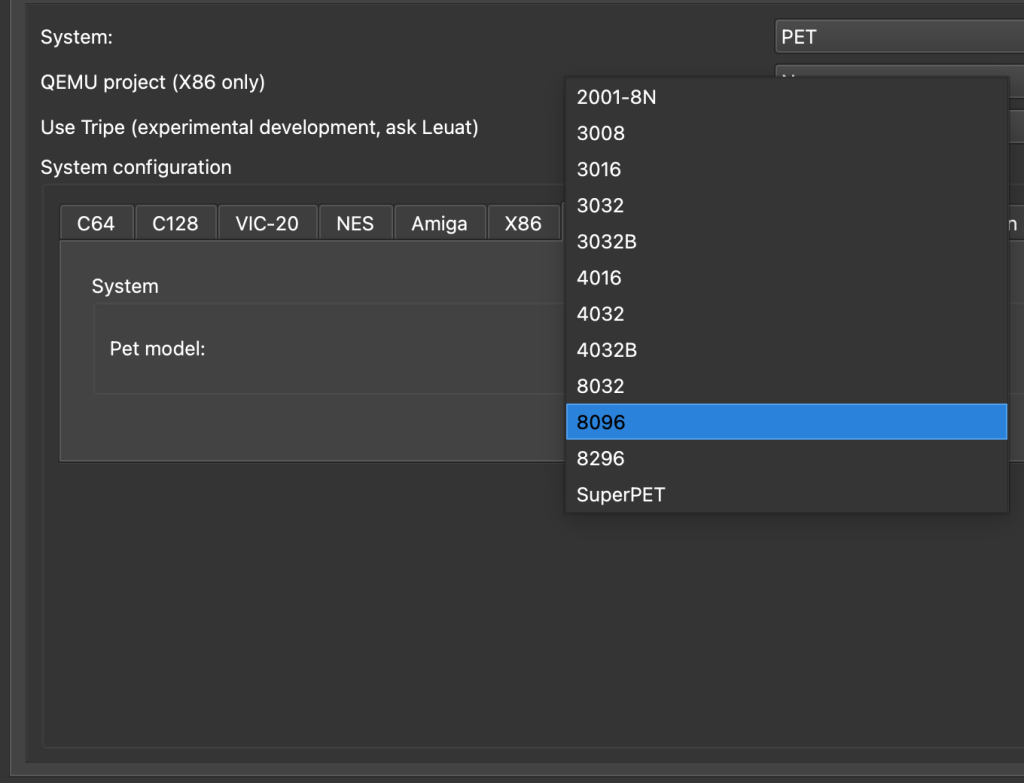
You might recall I wrote PETFrog using TRSE for the PET. TRSE has great support for the computer, allowing you to specify any of a wide range of variants:
What Next?
This was an introduction so we didn’t go into any great depth, in future I will show how I approach creating something substantial for the PET in a particular language. I am also hoping to help add PET target support to ugbasic!
 How C64 Sprites Work
.jpg)