

C64 BASIC has a lot going for it, and a lot of things that could be improved. The biggest area for improvement is for most of us performance. Or, should I say, it lacks performance.
Yes, there are a lot of things that could or should have been added in terms of features, but making the interpreter perform better would have made a huge difference. An argument could be made for saying it pushed a lot of us into assembly, but when I was pushed I fell face first and felt sore about it for a long time.
As well as more bedroom-coders switching to assembler, it also spurred a few companies to make compilers. Some of them were more “crunchers”, the basic was still interpreted but sped up using the techniques we discussed previously.
Some, though, took the code and converted it to a binary executable in some fashion. The tool I want to talk to you about today is a modern version of that, coded in Rust.

What a CrustyBASIC does differently
“Compilers”, as I alluded to, come in a lot of shapes and sizes, but generally speaking they let your code escape the line-by-line parsing and execution of BASIC and instead behave like assembly programs, much closer to the machine than the abstract almost-English we programmed in.
The compiler I used for this is CrustyBASIC by Brian Sturk. It gives you the option of compiling the same BASIC dialect code that we have been using, and get a nice performance gain even then, or switch to use the additional features of his language and get even more abilities.
Another benefit is he has way more than just Commodore 64 as a “target” system available, meaning we can get almost the same code to run on multiple retro computers and consoles, with more being added.
This is not a small feat and shouldn’t be minimised. Until I found CrustyBASIC I had played with ugBASIC, XC-BASIC, and more, and even wrote my own transpiler that took my “RGC-BASIC” code and converted it to C. Now I think I am going to focus on Crusty even over my own tools!

You can now follow the tutorials and edit the code right in your web browser with the Online Retro IDE
– No downloads, configuration, etc necessary, and it is free!
Getting Started with CrustyBASIC
If you don’t want to install anything locally then you can skip this part as I added CrustyBASIC as one of the languages of my web browser based IDE. Right now you can use it with C64 and ZX Spectrum, and more will be along later as I expand the tutorial examples.
On the other hand if you do want it running locally, first, head over to Itch and download.
For me, as a mac owner, there was no bundled assembler, so I ended up building vasm from source. Unfortunately VASM has moved and old links are broken. You can still get it just with a little sneaky archive.org vasm download link.
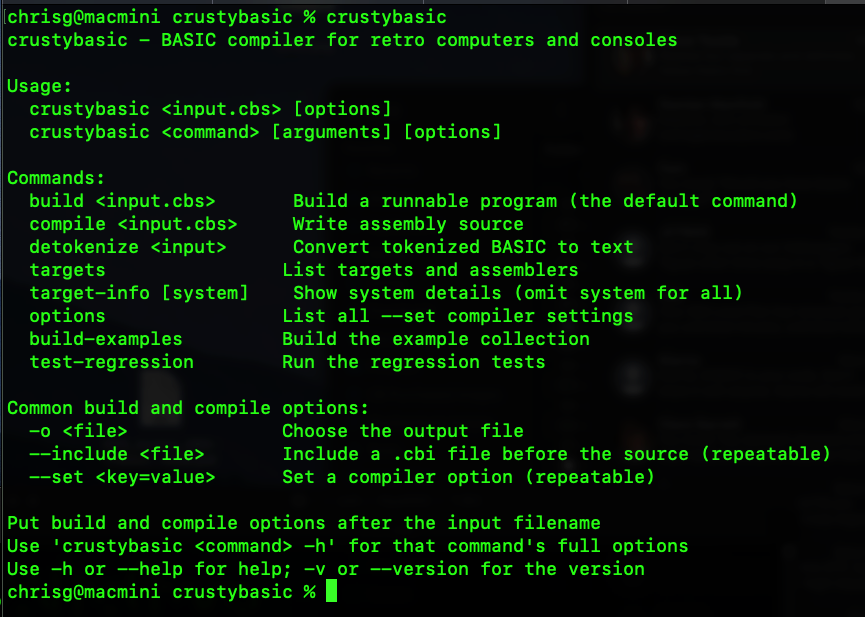
Once you have the executable and VASM installed, you can run the compiler and get the version and list of targets:
crustybasic -v
crustybasic targets
CrustyBASIC with no parameters shows help”
You can compile your BASIC listing into an executable for the C64 without modifying it (usually) with the statement:
crustybasic build hello.cbs --set target=c64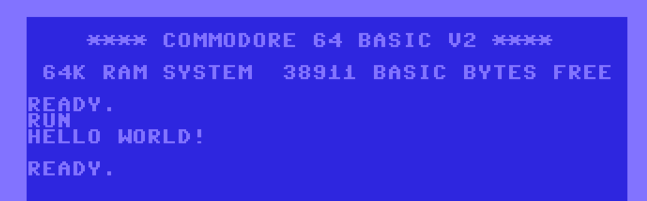
If you set the ‘dialect’ in the code you do not need the target parameter, but using the parameter allows the code to be compiled for different targets.
Speeding up the Dungeon Game with CrustyBASIC
Using the C64 dialect means we don’t get as much of a speed boost as is actually possible using CrustyBASIC. Also there were some bumps along the way, some Brian very graciously and quickly fixed in CrustyBASIC itself.
If you recall, I had to shuffle memory around to get the game to fit along with the custom characters and everything. Another thing I was doing was loading the character set from disk at a set memory location.
The memory settings had to stay, because that is about my game’s memory layout fitting into the C64, not crustyBASIC. Fortunately Crusty allows us a lot of control:
--set optimize=size --set ram-top=0xA000 --set start-data=0x8000.
But that still left the routines I was calling in ROM, such as PRINT. Those are not made faster by wrapping them in compiled source code, but the bulk of the program was made much more efficient, not least because it wasn’t reading line by line top to bottom anymore!
| Readable 14E, interpreted | Crunched 14F, interpreted | Compiled 14E | |
|---|---|---|---|
| Player’s half of the turns | 731 | 632 | 77 |
| Gobbos’ half of the turns | 231 | 177 | 16 |
| Per move | 0.25 s | 0.21 s | 0.024 s |
| Power-on to 64 moves done | 46 s | 41 s | 7 s |
Against my best interpreted version, the crunched 14F, the compiled game is about 9 times faster per move. Against the readable 14E it is 10x faster per move.
Power-on to game over is less than 9 times faster because it includes building the dungeon, and the build is mostly PRINT, which is still the KERNAL’s own routine in ROM. In fact the C64 disk access is the most laggy part of the whole at this point.
| Interpreted 14E | Compiled 14E | |
|---|---|---|
| Building the level | 914 (15 s) | 123 (2 s) |
| 64 moves | 961 (16 s) | 88 (1.5 s) |
| Power-on to the end | 2758 (46 s) | 429 (7 s) |
Could crustyBASIC’s own commands squeeze out more? I looked at swapping my CURSORSET and PRINT for CELL_PUTC, which writes straight into screen and colour memory but there is nothing left to gain.
So staying with the C64 dialect is the sweet spot for this series. It is still C64 BASIC, and is around 9 times faster per move when compiled. That sounds a lot, but the crunched version is quick enough I have played it by mistake thinking it was the compiled version by getting my tabs mixed up and not really felt that it was that slow.
The bigger win from moving to crustyBASIC’s own language would not be speed, it would be portability. The exact same game logic running on the other machines that crustyBASIC targets. That is a different project, though, and you might spot some WIP along those lines when you next visit the IDE.
One thing I wanted and could not do yet is crustyBASIC can embed a file in the program with @INCLUDE_FILE, which would put the character set inside the .prg instead of a second LOAD, saving a disk access on a real 1541 drive. It does not work in the cbm_basic_v2 dialect yet (it works in native crustyBASIC), and I have let Brian know.
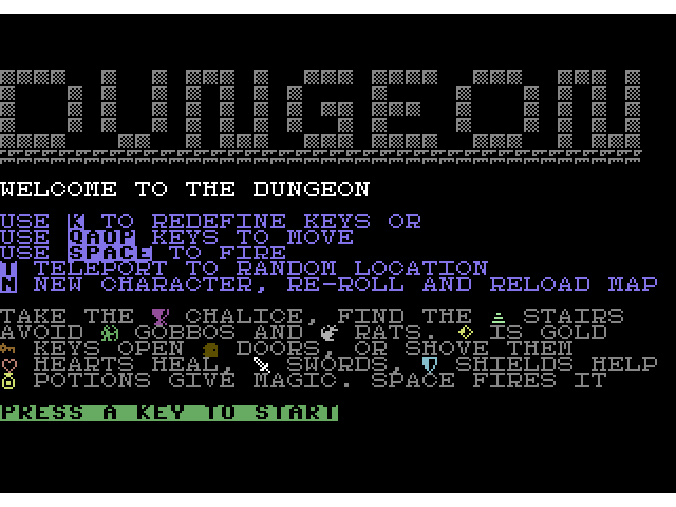
Conclusion
Strictly speaking this is where we leave the C64’s BASIC interpreter, but not Commodore BASIC.
The listing is still BASIC, it just no longer runs through the interpreter, and it no longer relies on the BASIC routines living in ROM.
Could we get even more performance by going directly to assembly? Probably, but that is a topic of a different series …
We have already achieved what we set out to do; a working and playable interpreted Dungeon Crawler, in the pure spirit of using C64 BASIC to get there. I do think the additional performance of the compiled version makes it even better. I will leave it up to you which approach you prefer!
In future I will be covering CrustyBASIC more, but as its own thing rather than as purely a C64 BASIC compiler. Look out for more soon!
 VASM 2026 Download: Where to get vasm 2.0f