

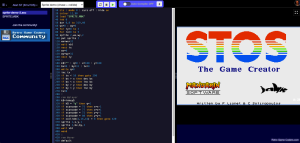
Amiga and Atari ST have been high on my list of platforms to support in my online IDE, I am feeling pretty pleased with myself now.
Yes, you can program 16-bit machines using modern and not-as-modern toolchains, right in your web browser for the first time (ever?).

Code for 16-Bits Right in Your Browser
How it works is simple on the face of it, but woah was it a pain in the behind to actually get all plumbed together!
You see, once home computers progressed to the 16-Bit world, we didn’t just have a ROM on startup, they booted the OS and environment from disk. I used the approach I had taken with DOSBox/Turbo C. Your code is injected into the disk and then the disk is booted. Unlike DOS though, people in the Amiga and ST world were not quite as comfortable in the command line, and software therefore didn’t cater to that mode of operation quite as fully.
Yes, this does unfortunately mean I had to throw runes (and dollars) at a plagiarism robot or three. Sorry, I just couldn’t figure out a way to debug the darned thing using only my meagre grey matter.


What You Get
So what you get is a couple of the best emulators with JavaScript/WASM support, loaded up with custom virtual floppies. This allows you to download your working disk to use on your desktop emulator, your retro-recreation such as the A500, or your real hardware.
I’m not done working on them, I just figured they were good enough to announce they are there so you can have a play.
Right now the tools available are:
- C Compiler (VBCC)
- AMOS & STOS
- TRSE
And I am working on assembler, and figuring out a way to get AMOS and STOS compiler workflow.
What’s Next?
As well as Amiga and ST, you might also notice Super NES and Sega Megadrive. They are not quite as fully supported yet, but they do work, so give those guys a look too!
Make sure you join the email list if you want to hear immediately when more features or platforms are added! Oh, and the best place to discuss the IDE with me is the community.
Happy geeking!
 Programming the Commodore 128