

Neo6502 is a “Modern Retro Computer” – a brand new single board computer that features a real 6502 microprocessor – designed by Olimex.
Rather than the original 6502, it comes with a modern W65C02S on board.
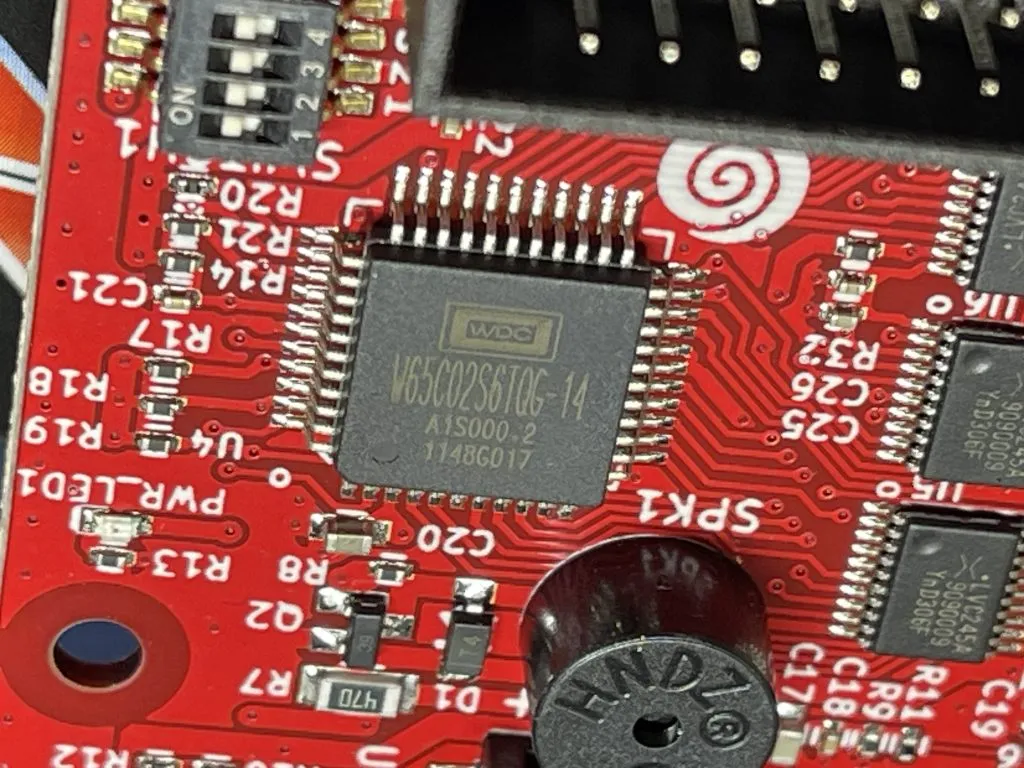

A RP2040 provides memory, clock, and peripheral emulation. Kind of like what I did with my homebrew Z80 breadboard computer!
I have been watching progress closely since I saw the first signs about this computer back in summer 2023, but I held off ordering until I could get a board from here in England, which brings me to one of the most surprising things … and that is the price – the target RRP is around €30!
I bought mine from The Pi Hut right here in the UK, but I will provide more purchase links at the end of this article.
What is the Neo6502 like?

The Neo6502 is a small board with dimensions of just 80 x 55mm. Comparisons will certainly be made with the Z80-based Agon Light that I reviewed previously. They are highly similar and complimentary in many ways, but this guy is much, much smaller.

What you get is a board populated with everything, it is not a kit that you need to solder like the RC2014 or the like. Pretty amazing for the price! You can also buy a case or 3D print one.

Another difference with the Agon, other than the choice of microprocessor, is the Agon uses an ESP32, and allows PS/2 keyboard and VGA, whereas the Neo6502 uses a RP2040 which means we get to use USB peripherals and HDMI for video, which is super convenient.
The W65C02, being a more modern 6502 than the old retro MOS chip can go much faster than we were familiar with in the old days.
Apparently the chip can even be overclocked to 16 MHz, but on the Neo6502 it is running at 6.25 Mhz, which is closer to the clock speed of the Amiga and Atari ST than the Atari or C64, and a lot faster than most of us are used to when coding retro games.
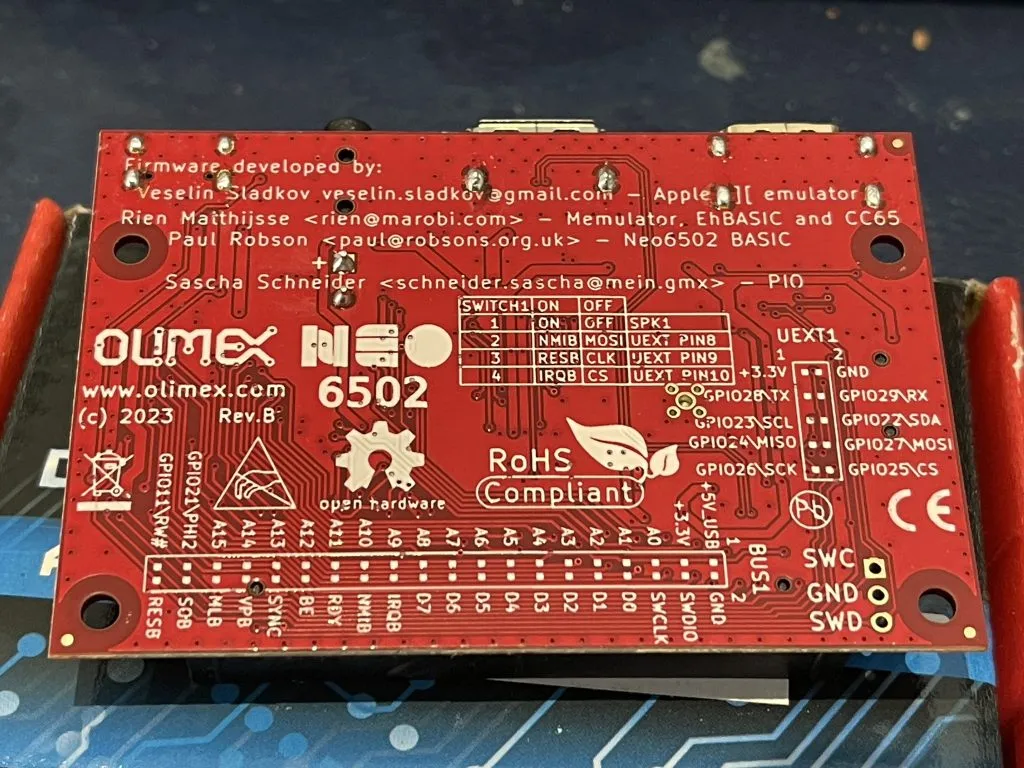
The processor gets 64kb of RAM, but there is 2 MB of flash memory on board, access to either SD or USB stick for storage via USB or expansion port, and there is a 40-pin connector that offers up a bus of all the 6502 signals and pins for you to interface with or use for experiments.

Of course, like the Agon, Neo6502 is Open Source so all the CAD and firmware files are available to study, copy, and modify to your heart’s content. Neo6502 handheld anyone?
If you want to get into hardware hacking but are not quite ready to get the soldering iron out, check out all the add-ons already available with the UEXT specification.


You can now follow the tutorials and edit the code right in your web browser with the Online Retro IDE
– No downloads, configuration, etc necessary, and it is free!
Neo6502 Specifications:
- W65C02 processor clocked at 6.25 Mhz with all signals available via connector
- RP2040 with 2MB of SPI Flash, 64k RAM available to the processor
- HDMI output with 320 x 240 256 colour display, higher resolutions appear on Apple/Oric emulators
- 20k Graphics RAM for tiles and 128 sprites up to 32×32 pixels.
- USB host for programming the firmware plus keyboard, mouse, USB storage etc
- Audio buzzer (can be disabled) and Audio 3.5mm connector for external audio
- USB-C power input
- UEXT connector with I2C, UART and SPI for expansion and integration
- 4 position slide switch allows buzzer enable/disable and selection of RESB, NMIB and IRQB to UEXT GPIO signals.
- Mass Storage via SD Card or USB Key
How the Neo6502 works

The Neo name was taken for two reasons, first it imply the modern design, then we liked the analogy with the movie The Matrix as W65C02 lives in virtual world and thinks it have real memory, video and keyboard but actually all this is virtual and emulated by RP2040.
— Olimex
As mentioned, the Neo6502 features a real W65C02S processor, which does all the computing with real timing versus emulation, but the real MVP of the machine is the RP2040 which provides the memory, video, keyboard input, and additional IO for SPI, I2C, UART, and so on.
While the W65C02 is running at a mere 6.25Mhz, do not let that mislead you into thinking the system is a slouch. Things like complex math (multiplication, floating-point) and graphics are also handled by the RP2040, acting like a co-processor.
Unlike other similar architectures, the RP2040 has direct memory access (it is the memory!) so there are no additional big data transfers between the chips to wait for, making things all much more efficient.
Neo6502 Software and Firmware: What can it do?

The Neo6502 is a computer that you plug into your monitor and attach a keyboard and storage to.
Once it has power, a display, and a keyboard it is just like using a 1980s home computer, but with modern peripherals, better graphics, modern SD card/USB storage, and faster processing speeds.
It can therefore do all kinds of computer things, including playing games, emulating old machines (emulate the Apple ][ and Oric Atmos using emulation by Veselin Sladkov), and integrating with electronics, sensors or expansions.
I would say at the current time, most people who are getting this board are doing it for programming and emulation. That said, already a couple of game demos show what is possible even just using basic:


Although W65C02 in Neo6502 runs at “only” 6.25 Mhz, the Neo6502 fares very well in this comparison against some popular Retro Computers:

Remember, most 6502-based home computers back in the day were 2 Mhz or less, and although the FPGA-assisted Commander X16 runs at 8 Mhz, it underperforms versus the Neo6502 in this BASIC line draw demo, partially due to the inefficient BASIC interpreter:
As well as games and emulators, a port of CPM65 is in the works which will open up the computer to even more software and development options:

Neo6502 Programming
If your board boots into ProDos like mine did, then Apple ][ fans are going to be very familiar with the basic and WozMon approach to programming via the fruity emulation.
That said, most people are going to start coding the Neo6502 for real with the excellent NeoBasic by Paul Robson who also created a web-based Neo6502 Basic emulator available at neo6502.com.
There are also desktop emulators for Windows and Linux. When I get chance I will see if I can get it to build for Mac, right now it errors out for me, but does get quite far.
Update: I managed to compile for MacOS! I submitted a pull request on the repo so hopefully soon you will be able to download a compiled binary for Mac too.

Check out the follow-up part 2 where I do some C coding with CC65 on the Neo6502, but once you have the firmware updated to the Basic or you load the browser based emulator you can dive right into the sample Basic programs which do a good job of teasing the system’s capabilities.

Cross-development is possible even with basic by using the Python script to tokenize your basic listing ready for execution.
But you do not need to stick with basic, how about 32-bit Turbo Pascal?
There is also 6502 assembly as you would expect, plus libraries are being worked on for the CC65 C compiler.
Updating Firmware


I am not sure if my Neo6502 came pre-installed with Apple ][ ProDOS emulation via a Bitsy Bye boot menu, or if I forgot I installed it. Either way, Apple ][ is great but not what I wanted long term, so I quickly switched out to the basic firmware knowing I can always switch back.
The RP2040 is easily programmed by dragging and dropping UF2 files over the USB-A connection, using the external drive that appears after holding the BOOT button on startup.
This means you will need USB A to A cable or converter and temporarily disconnect the USB-C while updating.
Rather than buy a cable I just attached a couple of USB-C to USB-A converters to a USB-C cable and that works perfectly.
Neo6502 Useful Links
Being new to this entire ecosystem, I am sure I am missing a whole bunch of resources, but here are some links to help you explore:
- Official product page
- Tindie (Australia)
- The Pi Hut (UK)
- Digikey (US)
- UEXT modules
- Github
- Discord
Conclusion
I’ve built 6502 computers before, and some of you will be aware that over on Maker Hacks I have been building a Z80 computer using a Pico as a memory. The Neo6502 is way beyond what I have achieved on the hardware side, and on the software side, in a very short timeframe, the contributors have already developed astounding support for the computer.
Check out my tutorial where I show how I ported my CC65 Dungeon game over to the Neo6502.
I am super optimistic that this community is capable of great things, and I am going to have a good go at contributing in some way, starting with a programming demo and tutorial to follow this review!
 Programming the Agon Light using C/C++