
I’ve already stated that I love Python for, well, pretty much 80% of my programming.
That includes game development as you might have seen in past articles.
That’s all great apart from situations where you want to deploy a single compiled executable or where the rest of your code is already being developed.
My C-based dungeon game is in that exact situation so I have been considering my options.
Fortunately my needs are extremely simple, so simple in fact that I considered using one of the many GUI frameworks.
After all, the game is “tile based”, meaning all the game objects and the player are positioned on a grid like chess pieces.
In the past I’ve used SDL, which is up to version 3 now, and I know that works with Emscripten allowing compilation for the web, making it truly cross-platform for modern devices.
But I’ve heard great things about Raylib.
I hadn’t realised that Raylib games can also be compiled to WASM in the same way, plus is compatible with Mac, Windows, and Linux.
There are a lot of helpful and powerful added abilities that I’ve not even looked into yet too.
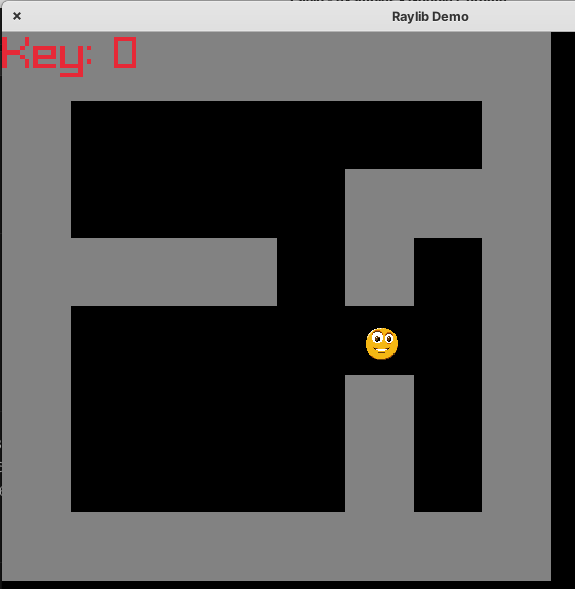
So far all I’ve done is got a sprite moving around under keyboard control over a basic tile map but I’m happy so far.

Prerequisites
Before we begin, ensure you have the following installed:
- Git CLI – You can install it by downloading from the official Git website.
C/C++ Compiler – We’ll use GCC, but Clang or MSVC will also work. - Make – Required for building projects; available through your system’s package manager.
Install Linux drivers
sudo apt install libasound2-dev libx11-dev libxrandr-dev libxi-dev libgl1-mesa-dev libglu1-mesa-dev libxcursor-dev libxinerama-dev libwayland-dev libxkbcommon-dev
Cross-platform quickstart
Rather than compile Raylib myself I started with the QuickStart GitHub repo:
git clone https://github.com/raylib-extras/raylib-quickstart.git raylibdemo
A simple sprite example
To make this a bit more concrete, here is a minimal example showing a player sprite moving around the screen. This is essentially what I described earlier, but stripped back so you can see how little code is actually required.
This uses a simple texture, updates position based on keyboard input, and draws it each frame. From here, it is not much of a leap to grid-based movement or tile maps.
#include "raylib.h"

int main(void)
{
    const int screenWidth = 800;
    const int screenHeight = 450;

    InitWindow(screenWidth, screenHeight, "raylib sprite movement");

    Texture2D player = LoadTexture("player.png");

    Vector2 position = { 400.0f, 225.0f };
    float speed = 200.0f;

    SetTargetFPS(60);

    while (!WindowShouldClose())
    {
        float delta = GetFrameTime();

        // Movement
        if (IsKeyDown(KEY_RIGHT)) position.x += speed * delta;
        if (IsKeyDown(KEY_LEFT))  position.x -= speed * delta;
        if (IsKeyDown(KEY_UP))    position.y -= speed * delta;
        if (IsKeyDown(KEY_DOWN))  position.y += speed * delta;

        BeginDrawing();

        ClearBackground(RAYWHITE);

        DrawText("Use arrow keys to move", 10, 10, 20, DARKGRAY);

        DrawTexture(player, (int)position.x, (int)position.y, WHITE);

        EndDrawing();
    }

    UnloadTexture(player);
    CloseWindow();

    return 0;
}
Even at this level you already have a proper game loop, frame timing, input handling, and rendering in place. That is most of the “plumbing” you would otherwise have to build yourself.
For my dungeon game, the next step is to snap movement to a grid rather than free movement. That is just a case of moving in tile-sized steps instead of pixels, and optionally adding collision checks against the map.
Why this works well for my use case
The main thing I wanted was control without a lot of overhead. Raylib gives me that balance quite nicely.
- It stays close to C, so it fits naturally into my existing codebase
- The API is small enough to learn quickly
- Cross-platform builds are straightforward
- Web builds via WASM are possible without rewriting everything
I do not feel like I am fighting the framework, which is often the problem with larger engines when your needs are relatively simple.
What next
At this stage I have movement, rendering, and a basic map. The next steps are to build that into something closer to a game:
- Tile-based movement and collision
- Loading maps from data rather than hardcoding
- Simple enemies and interactions
- Basic UI such as health or inventory
Further down the line I also want to experiment with compiling to WebAssembly so the same code can run in the browser. That would open up some interesting options for sharing small games without needing downloads.
Final thoughts
I still enjoy using Python for prototyping and general scripting, but for this project it makes sense to stay in C and keep everything self-contained.
Raylib feels like a good middle ground. It gives me just enough structure to handle graphics, input, and audio, without taking control away or adding unnecessary complexity.
If your needs are similar, especially if you are already working in C or C++, it is worth trying. You can get something on screen quickly, and build up from there at your own pace.
 Retro Dungeon in C: Putting my CC65 code on a diet