
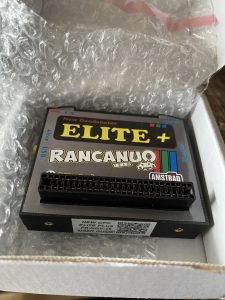
English Dandanator CPC Elite+ Instructions – Machine Translated
This Dandanator CPC Elite+ User Manual is a machine translation of the Spanish original found here.
Acknowledgements
First of all, our thanks to Dandare, Mad3001, and OverCLK, developers of the original CPC Dandanator! Mini project. This device is the base from which we developed the second version of our existing Dandanator Elite+.
We also thank the hardware developer Cracken Designs for implementing dual memory in the base project, and of course the developers of AUA for the idea of using cartridge style memory in a Game Boy style case.
AUA – Club AUA (auamstrad.es)
This guide is not a complete operating manual for the Dandanator. It refers only to the specific features of the NEW Dandanator CPC Elite+. For more complete information, visit the Dandare website above and download the manual for the original project.
The New Dandanator CPC Elite+ is a project based on the original idea by Dandare, Mad3001, and OverCLK.
Figure 1 shows a descriptive image of the device.
Controls and Connections
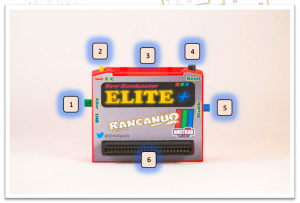
- Alter button
- Internal memory or cartridge selection switch
- Cartridge slot
- Reset button
- Disable button
- Amstrad CPC connector port
Functions
1. Alter button
Loads the alternative ROM. To do this, start your CPC while holding this button down. By default, it includes a test ROM.
2. Internal memory or cartridge selection switch
Position F (Flash): The Dandanator uses its internal memory. No cartridge is required.
Position C (Cartridge): The Dandanator uses the cartridge inserted in the slot.
3. Cartridge slot
This is where the cartridge is inserted.
Important: Always insert or remove the cartridge with the CPC powered off.
4. Reset button
Resets the Dandanator.
5. Disable button
If held down during startup or reset, the Dandanator is disabled and the CPC boots directly into BASIC.
6. CPC connector
Connects the device to your CPC. Compatible with CPC 464, 664, 6128, 464+, and 6128+. The Plus models require an adapter.
Getting Started with Your Dandanator Elite+
- With the computer switched off, firmly connect the device to your CPC. Make sure the CPC contacts are clean.
If you prefer to use a support stand instead of connecting directly, you will need an extension cable. - Set the selection switch to the desired position.
F to use internal memory, or C to use a cartridge.
If using a cartridge, insert it firmly before turning on the CPC. - Turn on the computer.
Important: Always power off the computer before changing cartridges.
Supported ROM Formats
SNA, CDT, and DSK
Updating the Internal Memory or a Cartridge
- Connect the device to your CPC.
- Use the switch to select internal memory or cartridge.
- Connect the device to your PC using a mini USB cable and turn on the CPC.
- Your computer should detect the device with the usual connection sound. If not, install the CH340G driver used by the Dandanator:
https://www.wch.cn/downloads/CH341SER_EXE.html - Open ROM Generator 2.5 or later for CPC. If you do not have it, download it from www.dandare.es in the CPC Dandanator section.
- Click on File > Preferences.
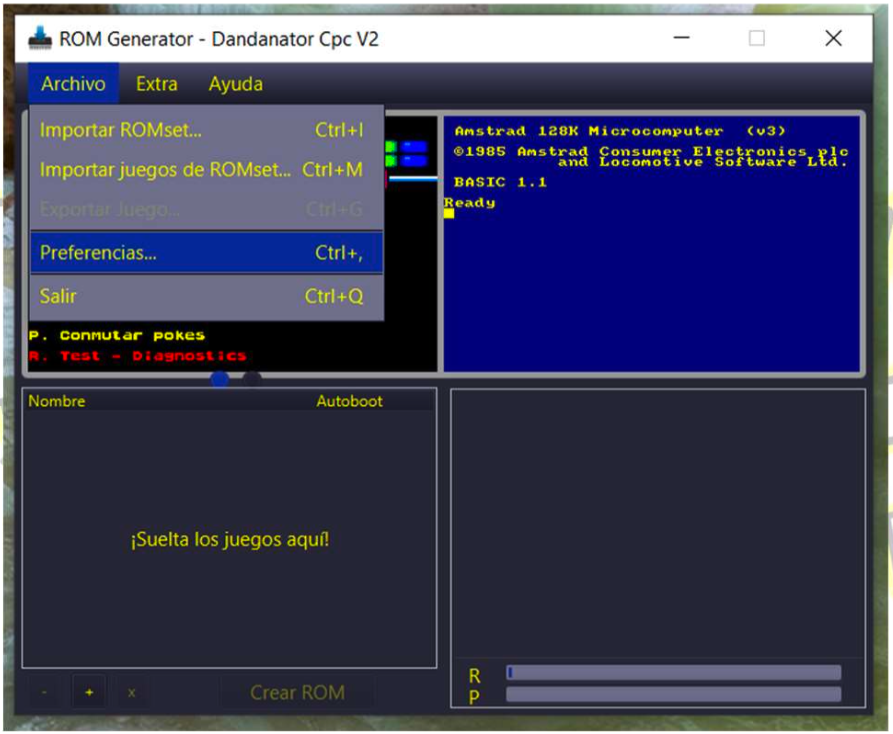
- Select the Loader tab.
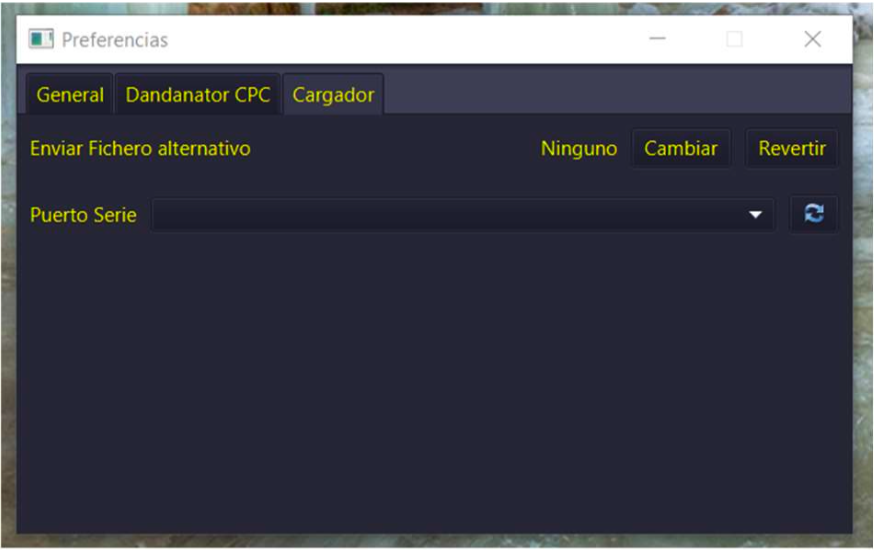

- Click the icon and select the port where the device is connected, then close the window.
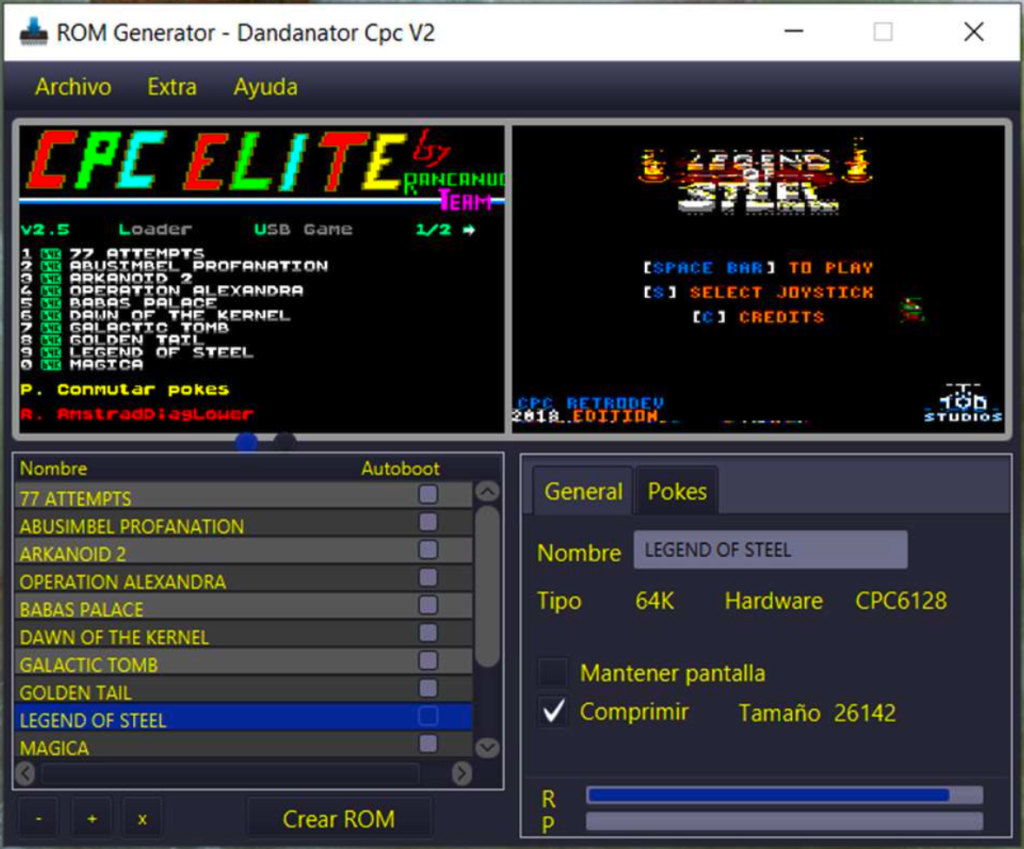
- Drag games into the Drop games here area, or load them from a romset via the File menu. You can also import a complete romset including configuration.
- From the Dandanator menu on the CPC, press the L key to access the loader.
In some builds, you must access the loader by powering on the Dandanator while holding the Alter button. - Make sure the CPC is on and the USB cable is connected, then press the round black button on the right to start data transfer.
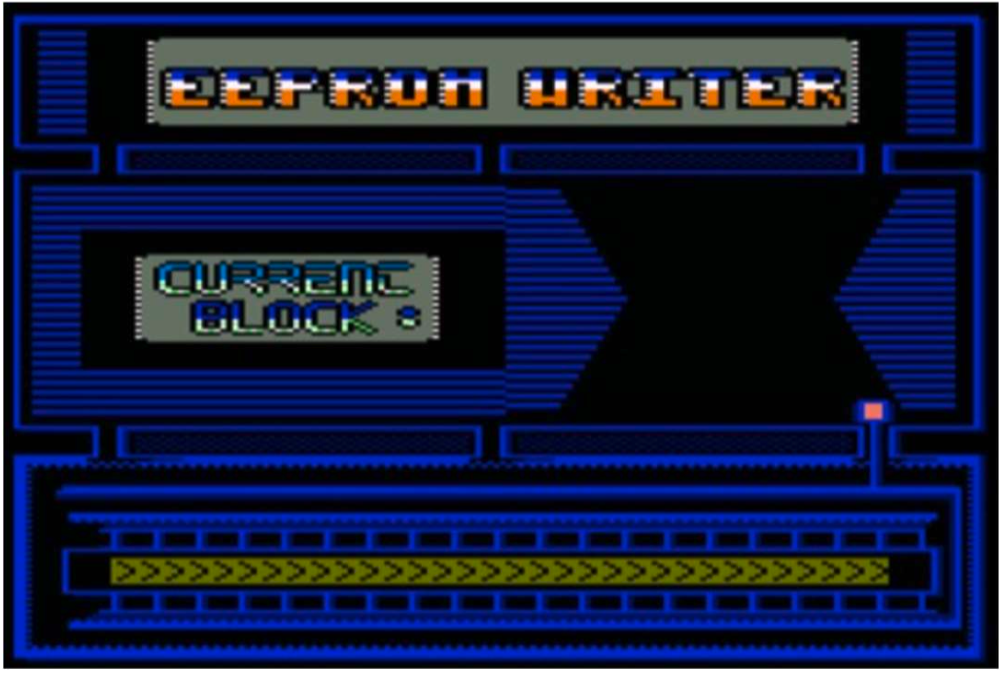
- Data transfer will begin. There are 32 blocks of 16 KB. Progress is shown with numbers. After about two minutes, your new compilation will be written to the device or cartridge.
Other Device Features
- You can save your romset to your hard drive and reload it later or use it in emulators such as RetroVirtualMachine, Arnold, or ZesarUx.
- You can load a game directly from the PC to the CPC without writing it to the Dandanator:
- Import the game into the romset generator
- Select it
- Use the menu option Send game via serial port
The serial port must be configured as described earlier - Press the U key on the CPC. The game will start shortly
This option is not compatible with all games
- You can export any game from the romset as an SNA file. This allows it to be used in any emulator. Use File > Export SNA.
- Recovering accidental deletion of internal or cartridge memory:
You need either a working cartridge memory that includes the loader, or working internal memory that includes the loader.
Boot the Dandanator from the working memory, select the loader, and before writing the new romset, switch the selector to the other position.
If you booted from internal memory, it will be in position F. If from cartridge, it will be in position C. If none of this works, follow the recovery procedure described by the original project developers in the section Recovering an empty or damaged cartridge in the CPC Dandanator Mini manual.
Final Notes
To learn all the features of your device, read the full manual created by the original project developers.
If you still need clarification, contact us via our website:
Current distributor:
www.neotienda.es
Email: [email protected]
Twitter: @EliteCpcZx
Thank you for choosing our product.